Encaptechno

Author name: Abhinav Bhalla

A skilled CRM consultant focused to help Organizations streamline their business processes.

Opt Zoho Creator for Your Organization - Encaptechno

Why Should Organizations Opt For Zoho Creator?
Opt Zoho Creator for Your Organization - Encaptechno

The internet is a hub of multiple businesses displaying their products and services. The Internet is made up of numerous software and solutions designed to cater to different needs. However, if you are seeking effective assistance that offers complete database application life cycle development to rescue on a sole platform then Zoho Creator can be of great help.

If a business aims to stay competitive in a stiff environment then it is necessary to continuously enhance processes. Fortunately, the business process management software applications help in fine-tuning all processes important for attaining great performance, preventing higher costs, preventing less motivated workforce, reducing revenues, and lesser satisfied customers.

Although there is no shortage of business process management software applications in the market, Zoho Creator is the one that stands out and stays on the top with the prominent features and functionalities that it offers. A Zoho Creator consultant can assist any organization in the implementation of the Zoho Creator while taking the business processes far.

Zoho Creator is a multi-platform builder for businesses that supports to create and manage a wide range of business applications. Integrated with a drag and drop feature interface along with a scripting language, the BPM tool creates applications incredibly fast and simple. Organizations can take the assistance of Zoho creator app developers to build custom applications based on different business needs.

In this blog, we will see and understand why should organizations opt for Zoho Creator? This will give us a better insight into what makes Zoho Creator a value addition for organizations.
What Makes Zoho Creator a Value Addition For Organizations

1. Increases Speed of Web Development: Zoho Creator comes with a serverless back end that enables the team of an organization to build, run, and test applications without stressing about servers. Enriched with a battle-tested production environment, the Zoho Creator environment includes tech stack including app servers, infrastructure, databases, network, security, operating systems, and all platforms and interfaces that help in building the applications in the right way.

With the combination of visual tools and a traditional coding environment, Zoho Creator app developers leverage the low code platform to configure the difficulty and code the interesting parts. Most of the low code platforms provide visual builders for both front-end and back-end web development.

With the help of these builders, app developers can fast forward the creation of common UI elements such as pages, forms, and dashboards as easily as a virtual Lego set while configuring back end components like workflows, integrations, and customer portals in a few clicks.

2. Fair Pricing and Community Access: Zoho Creator is workflow management software that uses a pay-as-you-go service. There is no need for making periodic payments as well as long term contracts. With a normal and accessible price every month, the system is accessible for businesses of all scales and user bases.

Using the platform does not need any costly hardware, which enables organizations to save a lot of money. No extra charges are expected from the users as well because all features needed by businesses are included in the selected package.

Other than this, Zoho Creator allows the app development to be done with much-needed ease because of the wide community access. The users are able to participate in a big community that is independent of software vendors and developers and would allow obtaining valuable expertise in many relevant fields.

3. Secure Sharing, Accessing, and Collaboration: Zoho Creator app developers can collaborate in order to access and edit the applications. They have the option to share input forms, reports, and dashboards via a URL. Anyone can view, access, and change the data in the forms and reports from their mobile devices.

The users are always keen on making their database applications available for use in a safe manner. In addition to the role-based access, the business process management tool handles other security functions for ensuring security and accessing the applications.

Besides this, encryption of sensitive data, multi-factor authentication options, HTTPs for complete pages, and the data back up in various locations are some of the security functions that Zoho Creator comes with.

4. Zoho Creator Developer Toolkit: Some of the best low code platforms preserve the coding space for a high degree of customization. In Zoho Creator, the IDE verifies all code lines one type, helps in detecting them, and fixes the issues in that moment itself.

An agile model in which the programs are divided into modules enables a Zoho Creator consultant to make changes in modules with the conviction that the rest of the program will not get changed. One can also reuse code across different applications. For example; the goal-setting function can be used from a sales management app on a habit tracker application.

Other than this, Zoho Creator also supports web and mobile widgets, SDKs, and other extensions. One can extend applications using JavaScript and any JavaScript library like Angular, React, and Dojo through the widgets.

Even though agile development can be a great option, but some time-saving tools are always needed in an organization to ensure rapid delivery. Zoho Creator equips one with all that is needed to take an application from conception and design to testing, delivery, and roll out. Some of the popular tools from the Zoho Creator developer toolkit are Data connectors, Sandbox, Version control, app templates, built-in authentication and authorization, APIs and SDKs, etc.

5. Quick Deployment: Zoho creator comes with many built-in capabilities that take all the stress away from the shoulders of app developers after an application has been built. It aids app development with the help of quick deployment.

One can push even the most difficult changes into production with just a single click using Zoho Creator. Other than this, the web app gets automatically available on all devices including mobiles, desktop, tablets, and wearable because of the native mobile features and complete offline capabilities.

An application that is created and tested to work for one team can be scaled up for work in the entire organization without any need for change to the architecture. Plus, Zoho Creator comes with certified security features that ensure great availability and security. This takes care of compliance and disaster recovery, so one can focus only on building applications.

6. Easy to Use and Accessible: Another thing that makes Zoho Creator stand out is the fact that it is simple to use the software. In addition to the fact that it doesn’t require complex installation, employees do not have to undergo extensive training for the sake of using the system efficiently.

Zoho Creator is highly flexible and comes with the benefit of personalization that fits the particular needs of a business. A cloud-based platform that enables all operations and data to be accessed through mobile devices, Zoho Creator eases the processes of organizations considerably.

It’s easy to use and accessible features are great for decentralizing the team members because being in various remote locations is no longer a problem while doing work.

7. Advanced Mobile App Capabilities: Mobility is an important factor in business. Zoho Creator provides mobile apps for iOS and Android devices while letting the users handle their applications and access data on mobile devices. The advanced mobile app capabilities that Zoho Creator comes with enables the users to access the Creator apps including workplaces, personal and shared apps.

In addition, the Mobile App Creator modules automatically make the existing application as mobile-enabled. The Zoho Creator developers can add, delete, and edit data within the mobile application.

Besides this, they can search, sort, filter, group and apply custom activities on data, receive notifications from applications, approve requests on the applications, accept payments from the phone, analyze reports on top of data, support offline data submission and support typical features of mobile phones such as Cameras, Microphones, Location Services and Gestures.

8. After Deployment Ease: Zoho Creator is designed to be a future proof tech. The applications will never go obsolete because the platform is continuously updated. For instance; desktop software built in the year 2006 on Zoho Creator was automatically available as an iOS app when the iPhones are launched in the market.

If you need a new feature then Zoho Creator applications are always customizable. You can fulfill new requirements just as soon as they pop up because you have already established a robust foundation with the assistance of Zoho Creator.

The Zoho Creator developers find Zoho Creator to be a low code development platform that doesn’t create problems but helps in fast innovation without getting stuck on outdated coding practices. As the digital transformation projects cloud over today’s enterprise, low code can become a powerful way for developers to deliver applications on time without sacrificing quality.

9. Zoho Creator Integration: The Zoho Creator features a unified database for its custom application and hence all applications created in that tool share the same database. The users can look up and add details across the apps without additional integration.

Zoho Creator integrates with a number of applications like Zoho CRM, Zoho Books, Zoho Reports, Zoho Recruit, Zoho Campaigns, Zoho Invoice, Zoho Calendar, and so on. Similarly, it also integrates with many third-party applications like Salesforce, Zapier, QuickBooks, and Google Apps.

With the help of an architecture called “One Virtual Database”, Zoho Creator supports content and data flow all across applications. This support makes the integration much easier, productive and effective.

10. Graphical Interface Layer: Zoho creator also enables the users to build tables and forms on Zoho forms just with a clicking a component and using drag and drop to the form. The business process management tool provides many options as to the various types of components and fields to create a database.

Additionally, it also includes dropdowns, checkboxes, lookup, radio buttons and input fields to keep single and multi-line texts, numbers, email IDs, and percentages. All this can be done without any programming knowledge, but only with a little guidance on the process that must be followed.

Related ReadBuild Custom Applications using Zoho Creator!

CONCLUSION:

With all the features that are mentioned above, Zoho Creator is the right tool for your business if you are looking for affordable ways to enhance the efficiency of your business operations. It is a tool that not only offers solutions with workflow capabilities but also eases the use and secures cloud storage with a great price point.

Therefore, organizations should get the most of benefits that are offered by the Zoho Creator. This can be done by getting in touch with a credible Zoho Creator Consultant to implement and get the best of Zoho Creator benefits.

Get FREE Zoho Consultation Now

Encaptechno comes with extensive experience in providing the Zoho Creator implementation services. If you are looking forward to partner with a dedicated, experienced and credible consultant, then reach out to the team of Encaptechno for the best support as your Zoho Creator Consultants.

Why Should Organizations Opt For Zoho Creator? Read More »

CRM Services, , , ,

Work remotely from home-Encaptechno

Work from Home Efficiently with Zoho Remotely

Many companies and the businesses are waking up to a new culture & style of working from home. In times of crisis, Zoho & Encaptechno really seem to have their finger on the pulse of their customers.

Work remotely from home-Encaptechno

Most of the Organizations & individuals are looking out for solutions that can help them get together and run their businesses seamlessly & in the most efficient manner.

Zoho commands the loyalty of over 50 million users already. Giants like Amazon, Facebook, LinkedIn Mentoring, Netflix, Century 21, KPMG, Capgemini, Discovery Communications, Siemens, Whirlpool, Bose, Pepsico, Dell and many more have also switched to Zoho.


Zoho has come up with a suite called Zoho Remotely which is free to use till September 1 st 2020.


What is Zoho Remotely?

Zoho Remotely


Zoho Remotely is a suite of cloud applications that helps you communicate and collaborate with teams, keep track of work, and provide remote assistance to your customers anywhere in the world.” And, in the recent times where most of us now work from home, Zoho Remotely is a single suite to meet all your needs.

Remotely includes these Zoho apps:


Remotely is a bundle of 11 applications from Zoho:

  • Zoho ShowTime – Engagement and training tool
  • Zoho Writer – Collaborative word processor
  • Zoho Sheet – Collaborative spreadsheet application
  • Zoho Cliq – Instant messaging/chat platform
  • Zoho Show – Business presentation tool
  • Zoho Meeting – Video conferencing tool
  • Zoho Sprints – Agile project management software
  • Zoho Lens* and Assist – Remote support software
  • Zoho WorkDrive – Document management tool
  • Zoho Projects – Comprehensive project management tool

*Zoho Lens available for US, EU, AU and India DC users

Who benefits most from Zoho Remotely? You’ve got power in your corner

Meet online and communicate from anywhere


Despite whatever is your location you can remotely hold meeting with your team, and you can review, hold training, facilitate your customer from time to time & can even do a sales pitch, give presentations. Remotely’s suite of apps will enable you to conduct all your day to day business communications from anywhere and any point in time. Via Cliq, Meeting & Showtime.

Cliq

With Cliq you can create and manage multiple chats, you have a facility to hop on a video or audio call with your team and your clients.You can also share files, and carry on multiple tasks and do so much more, right from your chat. Cliq serves as a primary hub for remote work.

Meeting

Schedule online meetings without the boundaries of time zones. Simulate a one on one meetings on the screen via video calls, or just the audio calls. Share your screen for content discussions.

Show Time

Share your ideas and conduct online training, impart your knowledge remotely, receive feedback and reach your targeted audience across the corners of the world.

Collaborate seamlessly from wherever you are


Work effectively in an efficient manner, work as teams even from diverse and even remote locations. Plan and assess your projects, assign work, optimize and allocate resources. Prioritize tasks and make your work count, wherever it matters the most. Via Work Drive, Projects, Sprints

Work Drive

Create online team drives, share documents remotely with members, and collaborate in real time to get things done.

Projects

Launch projects, add relevant tasks and assign them to the particular people. Affiliate with your team remotely and keep track of task progress and milestones efficiently.

Sprints

Create customized moot boards and incorporate live feedback from key team members while executing projects, in a vigorous manner.

Remote assistance from anywhere 


Assist your clients & team from anywhere through apps that act as remote hands & eyes. Address the trouble the clients and team members are facing, share help files & patches and securely address and resolve the queries. Via Assist, Lens

Assist

Reach out to your clients and team members through secure remote sessions and through multiple devices. Take a prior consent and take charge of pre-approved control of their system/ devices.

Lens

Get to see what your customer sees, click and annotate images, draw deeper insights with augmented reality tech and deliver remote assistance.

Achieve productivity when working remotely


Boost your and your team’s productivity with office apps that are designed for collaboration. Draft blogs, analyze spreadsheets and prepare slide decks from any place. Via Writer, Sheet, Show

Writer

Create, share and edit documents together as a team, each from their own laptops or mobile, from wherever they are.

Sheet

Manage spreadsheets and analyze your data with advanced functions. Present information with clear visualizations to your peers at work and derive insights together.

Show

Craft perfectly flowing presentations by sharing and collaborating with multiple people, even if each of you are located remotely.


You may also ReadEncaptechno’s Commitment during Covid-19 crisis

Conclusion


We understand that we all are going through tough times these days.

Most of us may not have the time to really sit down and analyze which are the best of the tools to use. Choosing the wrong software and/ or provider seems to be a popular reason, system implementations fail, when they do.

You shall be adding a well-equipped software choice to your arsenal, to boost the efficiency of your business.

If that sounds like you, just let us know and we’ll be happy to analyze your situation for you, then let you know how best you would benefit from using Remotely.

You don’t have to take a big chance, just leave it to a team of experienced Zoho consultants to lend a hand and put you back in the Zoho power seat.

Work from Home Efficiently with Zoho Remotely Read More »

Zoho CRM, , , ,
Zoho CRM - What You Get in Free Version

Zoho CRM: What You Get in Free Version?

Zoho CRM - What You Get in Free Version

For the small and startup organizations that can’t afford a big investment, the fully-featured free version of the Zoho CRM offers all the vital functionalities that a small business needs. It includes every robust feature for sales and marketing, powerful integrations, and secured cloud storage for up to 3 users. From lead generation, contact management, and workflow automation to analytics and social collaboration, everything is included. As your company develops, Zoho CRM Consultant will help you upgrade to a paid subscription that provides more advanced capabilities.

Get Feature-Rich Zoho CRM Free of Cost


A CRM tool is an absolute necessity for businesses of all sizes that provides basic customer experience, so it shouldn’t be expensive. And Zoho CRM’s free edition is built for small teams who have big dreams. Here’s why Zoho offers the best free trial version, because:

  • There are no hidden costs– You get access to everything under the free plan
  • It is free forever–There’s no trial period and no forced upgrade
  • No Credit Card required- You can sign up without your credit card details
What are the Built-In Features in the Zoho CRM’s Free Version?


Zoho CRM’s free version can support up to 3 users and presents significant features that a business of small size needs. This edition includes contact and lead management, tasks and events, multichannel marketing, Zoho CRM Integrations to its other applications, analytics, customization, and more!

Here are the features you get in a free version:

  • Contact Book
  • Email Marketing
  • Leads Generation
  • Automation
  • Analytics
  • Customization
  • Storage
  • Ecosystem
1. CONTACT BOOK


Manage Your Contacts Professionally

Zoho CRM’s free tool allows you to create, manage, and categorize data in a way that can help you to drive sales and returns. You can generate connections, record sales activities, add notes, produce tasks, qualify leads, view deals, and much more with this flexible digital contact book. So bid adieu to clumsy spreadsheets and shift your business into a more easy and powerful solution. With this professional contact book, you can do:

Lead and Contact Management

Create a lasting relationship with your leads and customers and impress them with your assistance.

Deal Management

Don’t ever miss any business opportunity, capture deals on the board, and generate revenue easily.

Account Management

List all contacts and deals related to one company and manage it more rapidly.

2. EMAIL MARKETING


Email Marketing - Zoho CRM

Create Smarter and Personalized Emails

Email Marketing is made more expedient, resourceful, and personalized with Zoho CRM. You can create attractive copies with its powerful editor, which has tons of built-in formatting options, and you can also add important attachments to the email copy. Create custom workflows, use templates, opt-out email, and a few more that will help you write tailored emails that accurately highlight the pain of your leads.

3. LEAD GENERATION


Find and Contact Leads Online

For a small-sized business, an excellent website can serve as a success key for creating new and repeat business opportunities. It’s imperative to keep track of the lead activities online and request contact information for moving them into your sales process. The free version of Zoho CRM enables you to do that effortlessly. Further, you can:

Track visitors with SalesIQ

Keep track of how the viewers interact with your website content, indulge in live chat with prospecting customers, and improve conversion rate.

Create Leads with Web Forms

Seize the lead and contact information from your website and insert it to your CRM with the use of Web Forms. Just generate a form on your website and link it directly to your CRM for input details.

4. AUTOMATION


Automate Your Sales Processes

Zoho CRM’s workflow automation makes you more productive by managing regular tasks on your behalf. You can create a workflow for custom operation, set it, and leave it! Zoho CRM will attend and implement it while you can devote your time to what is more important that is connecting with customers. You can automate workflows for up to 5 everyday tasks; so that there are fewer things on your to-do list.

5. ANALYTICS


Analytics

Analyze Everything You Do

It also allows you to conduct a variety of analytics to track the performance and results of your business at the employee level. Not much extensive like paid ones, the free software still offers a wide range of reporting features. The system also presents robust security features that enable the administrator to allocate responsibilities, control access, and implement restrictions. For the smallest size of the business, this free option provides a remarkable set of benefits. With analytics, you can:

Design Meaningful Charts

You can only manage the details that you can view on your system. Create colorful charts to get insights on sales activities, marketing campaigns, lead status, customer contacts, and more.

Create Detailed Reports

Change the way your business is managed and run with intelligent reporting features that interrupt key metrics and can share the reports with a single click.

6. CUSTOMIZATION


Customize the Way You Do It

Zoho CRM’s free version allows you to choose how your data appears. You can make custom list views that will help you to discover data quickly, rename tabs with specific names appropriate according to your business terminology, and customize pages to match well with your industry style.

7. STORAGE


Data Storage

Everything Is On The Cloud

Zoho CRM gives your company the facility for cloud storage that ensures complete security and management of your business data. In this feature, you get:

Data Storage

You can store up to 5,000 records in each module that can be published manually or transferred from a spreadsheet or another CRM vendor.

File Storage

With the free cloud storage, you can create files and folders, share them with other users, evaluate files, attach files, etc., which will help you run your business more easily. Each business organization gets 1GB of cloud storage to save their files.

8. ECOSYSTEM


Step into the Zoho Ecosystem

Zoho serves the best when used with other Zoho applications. You can integrate the free editions of some other Zoho applications like Zoho Creator, Zoho Books, and Zoho Campaigns etc. with Zoho CRM for better customer support, marketing campaigns, surveys, and more operations. Easily sign up for one Zoho product and get access to utilize the entire suite with the same credentials.

Also Read: Top Reasons to Choose Zoho One
Get the Desired Value in Free Version!


Zoho is a reputed business software company, and when they say free, it means free forever. You will not be requested to upgrade and make any license payments after a trial period is gone. Indeed, there is no such trial period. You can access and manage all of your business data for as long as you like.

And the best thing is that the Zoho CRM free edition allows you to work with a small team that has up to 3 users, for 4,8,12 months or more, depending on whether it matches your needs.

Once you start running your business with the free CRM software, success will be on the way. Your business will thrive, your customer base will get greater, and your sales team will increase. But, with the growth of your business, there will be a need for a superior plan, and then you can upgrade it accordingly.

Zoho will never force you to upgrade to a paid edition. However, the future growth and expansion will itself tend your organization to the point that you’ll need one. For technical assistance and information, consult a leading Zoho Implementation Partner today!

Zoho CRM: What You Get in Free Version? Read More »

Zoho CRM, , ,
Build custom apps with Zoho Creator-Encaptechno

Build Custom Applications using Zoho Creator!

Zoho Creator is a low-code app development platform that enables you to build custom, mobile-ready apps. You can create your own applications to automate workflows, in-house processes, and manage databases. Zoho Creator App Development delivers a first of its kind drag-n-drop interface to generate tables, forms, design, schedule workflows, and run an assortment of automated tasks. It’s powerful tools for data collection, management, analysis, reporting, and collaboration make it a smart choice for organizations of varying sizes to run their business online without investing any additional costs for infrastructure or software.

Build custom apps with Zoho Creator-Encaptechno

 “More than 65% of application development activities will be executed by Low-code application development, by 2024”, according to Gartner.

Quite a number of businesses have already started to realize the potential of Zoho Creator and successfully implementing its power to embark on their digital transformation journey.

Build Custom Apps with Advanced Features of Zoho Creator

zoho creator implementation

With over 10 years of experience in low-code app development, Zoho Creator enables everyone to build apps without any prior experience in coding. So, if you want to leverage this low-code development platform for building Custom Apps, it’s important to know about the following features:

1. Visual Modeling

visual modeling

The visual modeling interface allows you to view how your application will look when it is built. These visual models are easier to understand than any other traditional coding language, which allows non-developers to take hold of application design quickly. This scenario helps business users to try something unique, as they always have a sense of what they are creating.

2. Drag and Drop Configuration

zoho creator functionality

Zoho Creator comes with a simple drag and drop interface that helps the users and developers to create applications visually, which results in faster deployment. This feature is the most prominent one as a low-code platform and something that is actually helpful to build apps without hiring a professional developer. It lets you manage code easily through visual models.

3. Security

zoho security

Zoho Creator presents all the necessary features that make your apps safer. Customers won’t find it appealing if the application isn’t reliable, regardless of how useful or aesthetically pleasant it may be. When managing critical data, you can’t take a risk to use something that can probably give access to hackers. Zoho platform has all the necessary security framework certifications and proven experience of a decade in large-scale projects. Its built-in security features make this safer and dependable solution for internal processes in industries that handle sensitive data assets.

4. Multi-Device Deployment

multi-device deployment

Creating an app with multichannel compatibility lets your employees access it any time and from anywhere in the world. Zoho Creator Certified Developer will build an app once, and it will be handy on any device. Cross-functionality is vital since not all of your users work on the same device or platform. And with low-code app development, you don’t need to code for every single platform and operating system once you have created an app.

5. Scalability

zoho scalibility

Another important feature of Zoho Creator that is worth noticing is scalability. The applications built on it allow you to add more users, with the growth of your organization. It gets difficult to manage and control the access of each person when there are a large number of employees in your company.  Zoho Creator makes this easy for you by enabling you to monitor access of users based on their job roles.

In addition to this, you can control what end users can perform at both broad and minor levels. You can authorize whether the user is an administrator, an expert user, or an end-user, and consign roles and permissions based on the employees’ designation in your company.

Benefits of Implementing Zoho Creator Apps

zoho creator benefits

It can be confusing for a business to identify whether they need a custom app for their business, or they can pick any random one from the ready-made lot. Zoho Creator Consultant will help you understand how this low-code app development platform is beneficial to business users who want to create an application and developers who are looking for a faster development method.

Here are a few benefits of using Zoho Creator apps in your organization:

  • Faster Development
  • Improved Productivity
  • Risk Management
  • Flexibility
  • Enhanced Customer Experience
  • Mobility
  • Task Automation
  • Apps Integration
  • Smooth Data Flow
Manage Your Business Easily With Zoho Creator

streamlining with zoho creator

In this hastily evolving business world, whether your business will rise or turn down depends on how capably you recognize and respond to digital modernization prospects than your competitors.

Low-code platforms are transforming the way applications are developed, and Zoho Creator has elevated as a key software delivery platform in recent years. It is actually expensive to hire professional resources to develop business apps constantly in conventional coding languages.

Zoho Creator helps you build custom apps to run your entire business; from daily tasks to compound process automation, you can do everything with this multi-platform app builder. You can create a customized one to match your business profile, or you can get started with a ready-made one. If you pick a ready-made one, you can easily install and customize a specific app from the App Deck of 50+ ready-to-use business apps. From managing administration to sales and marketing to distribution, you’ll find pre-built solutions that cater to every part of your business.

Conclusion

If you are trying to build an app for your organizational processes, you can start by choosing the right platform having the exact features that you need to create a customized application for your organization. As a low-code app development platform, Zoho Creator empowers every user with the least technical expertise to create, edit, and run their automated processes. It was also marked as a Challenger in Gartner Magic Quadrant for Enterprise Low-Code Application Platforms (LCAP) in 2019. And its insightful interface and ready-to-deploy code models make it easy for anyone to supervise the processes that matter most.

Zoho Creator helps the organization to embrace the digital world and enhance the approach of how they handle their business. Clear your thoughts about the platform by contacting a Zoho Consulting expert today!

Build Custom Applications using Zoho Creator! Read More »

CRM Services, , , ,
Zoho CRM

Role of Zoho in handling cognitive dissonance

If you are thinking of expanding your business, increasing the sales stats at an alarmingly amazing rate and gaining better and undefeatable brand equity, you must have definitely understood the journey a customer takes while at purchase. Well, considering that you yourself are a consumer with the need for material aspects just like your target audience, I am sure you must have understood the sort of option-based turmoil they come across. Often customers receive options to choose from among various brands for a single item that they intend to purchase. This might come across as a delight considering that they could compare two products or options and choose the one they feel suits the best. But, this might also come across as a problem for consumers. Cognitive dissonance is the mental discomfort experienced by a person who simultaneously holds two or more contradictory beliefs, ideas, or values.  This is exactly what most consumers suffer from, two contradictory beliefs that are capable of gaining the attraction it intends to garner.

Most companies are a prey to this factor and analyzing a customer; forcing or rather coercing them into accepting your product or service may come across as a real challenge here. With so many brands offering almost the similar products and options, trying to gain the maximum visibility, you must have understood that having the larger size of the cake is the only way to grow ahead and you have to fight it out with both the smaller picks and giants.

Don’t panic. We know the market is tough and you have a long way to go but hey! The good part is that technology knows how to take you ahead in this journey and that’s exactly what you are in search of. ZOHO is the answer to all your queries. Implementing Zoho is the only way to help stop your customers from getting distracted by brands that offer what you have or even better in a different packaging. Need more help to understand this wonder tech? Well, here’s our take on the Zoho techniques to fight your competitors in a smart way:

  1. The Automation of Sales Efforts: The heart of Zoho lies in automating routine sales efforts. From converting web visitors into hot leads and garnering data from external parties and so much more, Zoho lets you connect with your potentials from across trade shows, direct emails and seminars and workshops. Once captured in the system, these leads are matched with the right sales workforce, converting it into a real sale. Moreover, the sales processes on Zoho may be customized based on the needs of individual businesses making it an even more desirable and personalized tool.
  2. Monitor your connects: Zoho is a true CRM tool that not just lets you connect with your customers but also lets you monitor their movements, helping you understand the pattern of their purchases, the triggers that work in a particular segment. You can also forecast the revenue that you may be able to identify via Zoho tools thereby helping you create a better strategy for each segment of your market in order to remain the people’s brand that you want and must become. You remain connected with your targets, putting away any chance of contradiction.
  3. Crucial data: Zoho CRM is appreciated and adopted the most for this particular feature of it. Real-time access to handy information is essential and the tracking tool lets you see where exactly has the customer reached in the sales cycle. In short, the tool lets you analyze, track and retrieve data that can help you take the sales initiatives to a whole new level, streamlining your business efforts in order to help you achieve your targets and fulfill your mission. With Zoho, you can make smarter and profitable decisions.
  4. The Mobile Factor: Let’s face the fact. Our customers are now sourced via social media. Don’t believe it? Well, researchers have stats to prove it. Zoho takes the maximum advantage of its tracking system to analyze a potential target group, its movements, preferences, the rate of their conversion, etc. From Facebook to Instagram, Twitter, and Snapchat, Zoho extracts the maximum of the resources and platforms available to gain crude information. Zoho Integration with social media lets you connect with them, engage and stay associated rather than stick to a single sale and push attitude.
  5. For the smartphone generation: Zoho is all in for a smartphone generation. Dedicated editions of Zoho for Android and iOS users help these persons to control their sales activities even when on the go. This will help major decisions to be taken on the basis of quick and true data with research findings and stats to back it. You may access the most important of data from your phone and stay connected with your business no matter where you are.

The list could be stretched even further with many key market players opting in for the Zoho CRM system. If you want to take your business operations to a whole new level, you have to give Zoho a fair chance. Fight the competition and gain the maximum out of your business opportunities with Zoho.

Still, need a further detailing? We’re happy to help. Drop us a line at [email protected] and we will get back to you!

Role of Zoho in handling cognitive dissonance Read More »

Zoho CRM, Zoho Implementation, , , ,
Salesforce Implementation

Salesforce Implementation from Chaotic to Exciting

Salesforce Implementation

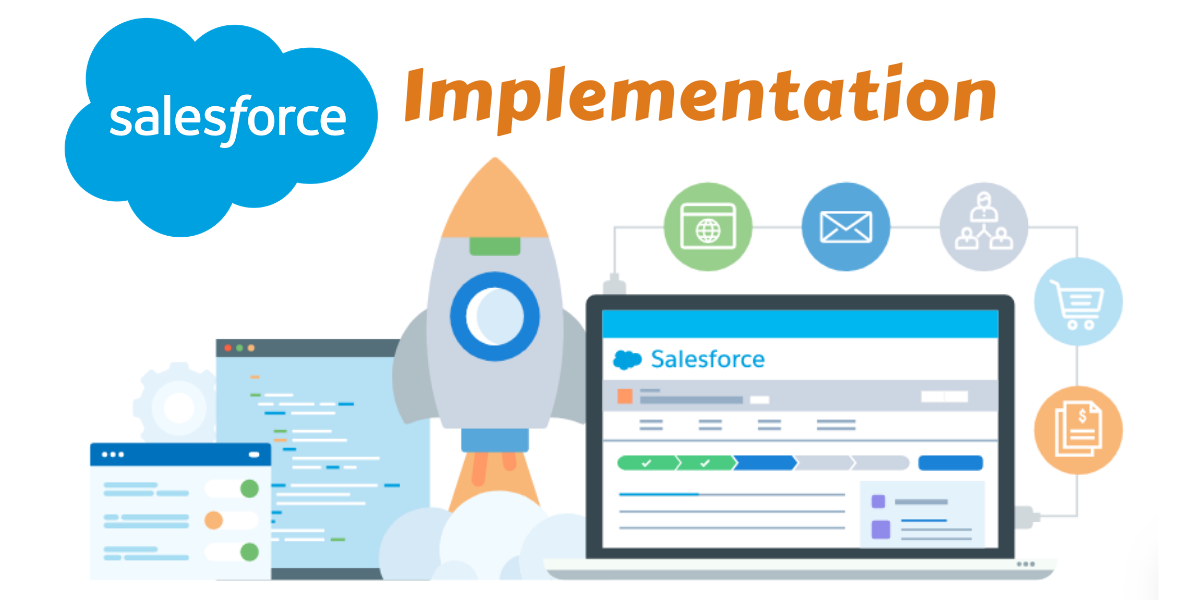
You have most probably launched a hunt for Salesforce consulting and development because you want to implement it in your own company, that could be the only reason you are here reading the article. Well, in that case, I need to lay down before you certain things about Salesforce that in the long run would help you in the successful implementation of the Salesforce in your business organization. So we will be learning about Salesforce implementation challenges, Salesforce implementation requirements and steps for successful Salesforce implementation. Well, in short, it will be about making the Salesforce implementation process more exciting, less chaotic.

Salesforce Implementation Challenges Business`s Face

There is no doubt about benefits to get after implementing Salesforce, but the process of implementation may not be a smooth one. It has its own challenges. The business owners sort of tend to ignore these challenges. Either because of misinformation, or they are completely unaware of the fact. So let`s take few of these challenges and discuss them one by one.

Calculating Salesforce Implementation Cost – The question that frequently creeps in during discussions on Salesforce implementation is how much does it really cost. Obsession with cost question negatively affects other considerations that are equally important but get ignored due to the emphasis on cost thing. They base their cost calculation exclusively on license requirements, which is not a right way to do, especially when you are yet to choose a Salesforce consulting company. The right way to go about is letting the consulting company properly analyze and design a model based on your business and then investing in the license.

  • Choosing the right Salesforce Implementation Company – The challenge with it is because if you choose a wrong company, your whole process of Salesforce implementation will not function according to what you had planned. Be it the marketing of your company, keeping track of sales, customer support services, Salesforce integrates them all. Any error in implementation process can tear down business operations of your business and make it slow, less efficient and disintegrated. So, you have to be extra careful while choosing a company for Salesforce implementation.
  • Keeping Track of Data Migration – The biggest challenge with Salesforce implementation is data migration. Keeping track of data when it is being migrated from one system to another can really be a headache. Any strategy you adopt during data migration, it should be such as would least impact your routine business.
  • Salesforce Integration with Business Applications – In order to cash in full benefits of Salesforce, its integration with every single business application your company has been using is necessary. These business applications include mobile apps, applications, and systems used inside your company, cloud computing applications and other IT infrastructure of your business organization. When I say integrating these systems and networks is must, there you have to also remember how significant a challenge it is to ensure the proper integration between these various systems and networks during Salesforce implementation.
  • Introducing Salesforce to your Team – Technology implementation would mean nothing if your team at your company do not understand how to operate it. That`s the biggest challenge. Introducing Salesforce app development to your team. It is the story common to every business organization, people don`t want to switch to new technology. They would rather do things traditional way than engage with modern sophisticated technology. You will have to introduce Salesforce to them, how it can benefit company and them as well. It is about getting their confidence.

Salesforce Implementation Requirements to Consider

In order to successfully implement – without any hindrance – the Salesforce, you should take care of following requirements before going for implementation process directly. It will help you take every step measurably and move ahead with confidence.

  • Create a Team – Based on accessibility and time commitment of people at your organization, you can create a team which can look after the whole project of Salesforce implementation, right from the beginning till the end. It is not helpful only in picking up the right candidate for the task at hand but will also give a plenty of time. Your team should be able to make decisions on behalf of the company and users as well and should have clear expectations in mind.
  • Document Needs and Requirements of Company – Well, before you partner with any Salesforce Implementation Company, your team should documents each and every need of your company based on merit. Some things you must have, some things are nice to have. It is the task of your team to choose between the two and decide upon one that really adds value to whole set up of your business organization. There will be a lot of data sharing taking place between your team and Salesforce consulting and development company unless to have already documented useful data, the process could get weird and lose track.
  • Defining Business Process – Every company markets itself distinctly has different channels to sell through and uses various ways to connect with its customers. While implementing Salesforce, much of the discussion would revolve around defining the business process of your company. How everything in your company operates should be already documented and vividly defined by your team, and then you will not miss on the target because it will include everything from data to security to business process.

Some Tips for Successful Salesforce Implementation

Not always is the implementation process smooth and anxiety-free. It can really get weird sometimes. But here are few steps you can follow for successful implementation of Salesforce in your company.

  1. Plan an integration of Salesforce with other business applications well in advance. The objective should be to streamline all your business processes and get everything connected and centralized.
  2. Introduce your team to Salesforce and make them understand what this technology is all about and what benefits to reap with it. Distribute tasks among various members of your team, resolve any after-math issues and take care of what they say.
  3. Only that data should be migrated which is of real use to the company, get rid of everything else before data migration starts. It would give you enough time to remove errors and typos and clean up your data.
  4. Update Salesforce regularly to make use of new features introduced periodically. It is must for keeping business process relevant and enhances adaptability.

While the Salesforce is a great thing to have, its implementation is always a very daunting process. So you need someone who understands and masters Salesforce implementation, someone who is reliable and has a name in the market. In short, you need to join hands with Encaptechno and meet our Salesforce certified developers to know more about our services. We understand your needs, and we know how to successfully implement Salesforce.

Salesforce Implementation from Chaotic to Exciting Read More »

Data Migration, Salesforce, , , ,
Scroll to Top