Abhishek comes in with a decade of technical experience in CRM, specifically Salesforce, Zoho & Microsoft Dynamics. A highly energetic individual and an equally good team player, Abhishek has a deep knowledge of complex, challenging and custom CRM implementations as well as integrations.
Low-code platforms have presented an opportunity for businesses to accelerate the application development journey. One of the factors behind this is that the cost of hiring a capable software developer has increased tremendously. Moreover, the time taken to complete a project is long with traditional development methods, which delays the time to market their MVPs.
Large enterprises still find a way around this problem, but small and medium-sized organizations often need to improve functionality and speed up their digitization efforts. Aligning the gap between the skills and resource shortage has led SMEs to focus on developing solutions that can simplify application development.
A practical solution that has emerged is that of low-code development to solve this problem. With noticeable growth, the adoption of low-code development platforms has continued to rise over the years. These platforms do an excellent job of providing simple and practical techniques for building effective business applications.
In this blog, we will elaborate on how low code is enabling the industry 4.0 transformation.
The Need of the Hour For Industry 4.0
The need of the hour for Industry 4.0 is to leverage the power of smart manufacturing, IoT, Cloud Computing, and Digital Twins to revolutionize traditional production processes. Smart Manufacturing enterprises use advanced technologies such as robotics to increase productivity while reducing costs.
IoT enables machines to communicate with each other and humans in real time, allowing predictive maintenance and faster decision-making. Cloud Computing provides access to computing resources on demand, while Digital Twins offer a digital representation of physical assets or systems that can be used for simulation or optimization. All these technologies are used to create a more efficient, agile, and cost-effective production process that will help companies stay competitive.
Embedded sensors and interconnected machinery produce significant big data for manufacturing companies. Data analytics can help manufacturers investigate historical trends, identify patterns and make better decisions.
What is Low-Code Development?
It is best to think of low-code development as software development that reduces the need for line-level coding. With low-code development, developing and customizing tools needed for manufacturing processes becomes possible instead of hiring a specialized development team.
Most low-code development solutions provide an attractive visual interface to assemble workflows and applications. The users can effectively drag and drop elements required for optimizing an application’s life cycle.
Low-code platforms enable users to create new applications and solutions that enhance the functionality of business solutions. The global low-code development market was at USD 10.82 billion in 2020. Data suggests a tremendous growth of CAGR of 31.6%, from USD 13.89 billion in 2021 to USD 94.75 billion by 2028.
Increasing Use of Low-Code In the Manufacturing Industry
In the manufacturing industry, the low-code platforms function as automation and productivity tools connecting ERPs and various data sources to perform complex actions. These platforms are now emerging as a critical aspect of digital transformation for businesses and also accelerate application delivery processes over ten times quicker.
Manufacturing software is challenging to upgrade, personalize, and even add new functions so that businesses meet commercial needs. With the rising use of low-code platforms, manufacturing companies can offer personalized solutions and provide increased flexibility, scalability, and efficient technological innovation.
Production engineers who understand core processes better can develop robust and personalized applications using low-code application development platforms. They can quickly build work instruction applications, quality control management applications, management panel applications, predictive maintenance applications, etc.
Hence, it must be clear that using a low-code platform can offer an improved way of integrating multiple technologies. Companies don’t have to find professionals for application development. Even the in-house staff can be trained to develop and update data workflows with low-code application development.
Conclusion
Low-code development is growing at a considerable speed, and more and more companies are using this technology in return for greater rewards. In the future, this trend will keep growing because the ease that low-code platforms bring is commendable.
All online sales and marketing efforts have one primary objective: capture and convert leads. Most organizations often use a lot of their resources to get more traffic through SEO and paid Ads. Still, they are usually only able to do a little when optimizing the method by which they capture leads on the website.
Collecting their email addresses and other meaningful data points is vital to attract more customers into your pipeline. You can also use these data points to understand customer needs better.
Right after you capture a lead, you can effectively move on to build a customer relationship and earn a sale as well. Zoho Forms are exceptional for interacting with customers, collecting feedback, generating more sales, and facilitating online communication.
That said, only some forms are effective for engaging the audience. If the goal is to capture the attention of site visitors, then the forms must be clear, concise, and focused. In this blog, we will list some simple tips for increasing the conversion rates of forms.
However, we will begin with understanding forms in general first. So, let’s begin.
What is Zoho Forms?
When the information is added online, some of the HTML attributes considered as forms are used for inputting and sending the data. Some of the most common forms include input boxes, checkboxes, and dropdowns.
In general, creating forms is rather time-consuming and involves combining the HTML and CSS attributes for hours altogether. In addition, so many businesses have a considerable amount of money on the table because they do not want to put in the time and effort needed to add customized forms in all online places.
Unfortunately, if you fail to make good use of forms, your business can miss out on a good portion of leads and opportunities. In reaction to the common problems linked with using forms, Zoho has developed Zoho Forms, an application designed to create optimized forms.
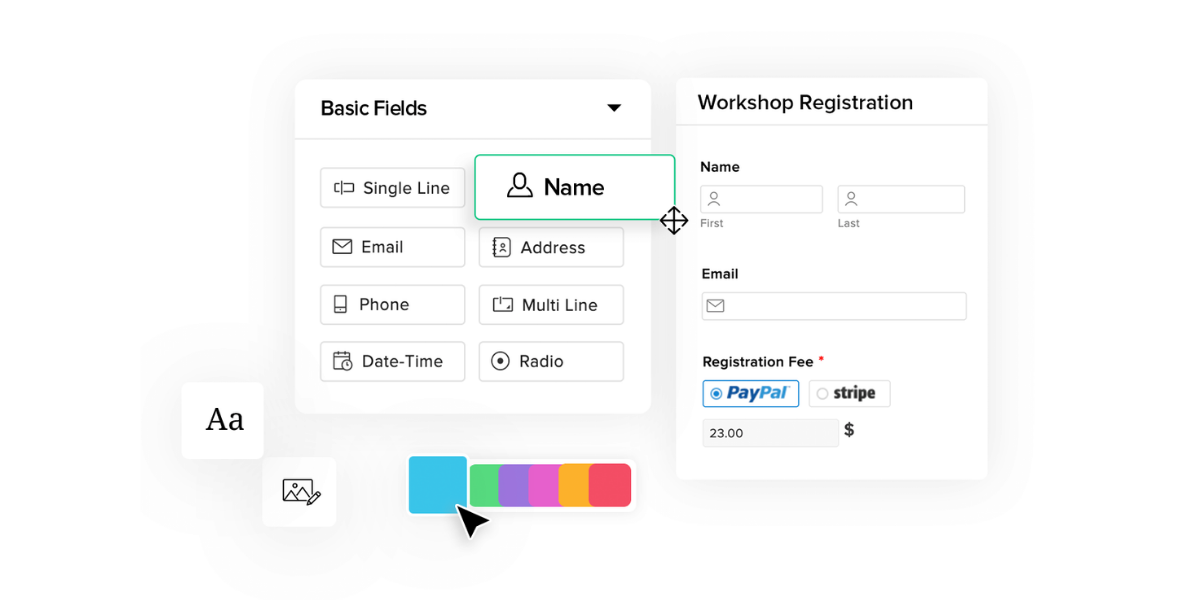
Zoho Forms is an exceptional tool that enables you to create world-class forms. It comes with a drag-and-drop visual builder that requires almost no technical skills. Moreover, it comes with all the functionalities needed on the back end for effectively responding to leads, inquiries, and support requests.
Why are Zoho Forms Important?
Zoho Forms are important for you because they allow businesses to collect consistent data using digital tools that are available easily. In addition, the forms function automatically, so there are no costs associated with using them right after they have been built.
The marketing initiatives involve completely scalable forms and can continue to generate cash flow for a long time. An extremely important feature of Zoho Forms is that they can instantly generate actionable data.
Zoho Forms also helps create a valuable system for emailing a customer after submitting a form or, even better, for starting a campaign based on some actions. For example, your sales team can use the forms to reach out to qualified prospects instantly after they have shown some interest in your products/ services.
When handling responses in Zoho Forms effectively, the sales team should follow up on them even when they are quite new.
How to Use Forms For Your Benefit?
Zoho Forms was created with the aspiration of simplifying the collection of data from users online. This software allows businesses to accumulate information with campaigns and use templates for capturing emails, scheduling meetings, leaving a callback number, and sometimes taking action to get more customers.
After you create a form, it becomes easy to share them on different social media platforms or with a code. Hence, you can effectively include the data collection to maximize conversions. In addition, you can use the data in many ways by taking advantage of extensive support for integrations.
For instance, Zoho CRM works very closely with Zoho Forms for easy data synchronization in methods that allow the sales team to follow up on new submissions in timely intervals. Below, we will look at some features of Zoho Forms to get a better context.
Features of Zoho Forms
1. Drag and Drop Builder
Zoho Forms has a drag-and-drop builder that can combine functionality and simplicity to solve your needs. You can easily create dynamic forms without any hassle of coding because Zoho Forms offers a no-code form builder.
The form builder has over 30 field types that help create engaging and interactive forms. You can effectively validate the respondents’ answers when a form is filled out live. There is also an option to split a long form into pages to make this process easy.
Lastly, you can save a partially completed form and complete the process much later. The form has features that will allow you to prompt respondents to land on the right question or page based on answers.
2. Notifications
Zoho Forms also allows you to send instant messages while redirecting respondents to pages after you submit a form. You can redirect respondents to a web page, a success page, or even a web form after submitting an entry.
Zoho Forms also helps send instant notifications to the respondents through an email anytime they submit a form. You can text to notify your respondents when they complete a form. Lastly, you can send updates to Microsoft Teams and collaborate with your team.
3. App Integrations
You can instantly and automatically import the data collected with Zoho Forms into other applications. Zoho Forms come with integrations of other Zoho products and third-party applications.
Commonly, the integrations support actions that widen the marketing reach and help communicate with customers at the right time. Zoho Forms can work with all important Zoho applications. As a result, you can benefit from powerful integrations in only a few clicks.
You can use support to integrate with Zoho CRM, update your records, trigger automated actions, and send attachments to clients. Zoho Campaigns can be used for automatically adding respondents to an email autoresponder.
If you wish to create forms for customer service purposes, then the forms can be used for automatic synchronization with a platform such as Zoho Desk. You can achieve integration with many other applications and just a few clicks.
4. Create Documents
The documents are often needed to be generated after a form gets filled. Most documents can vary widely, but many include contracts, invoices, and quotes.
Zoho Forms comes with the ability to merge form submissions into any document instantly. This helps the contracts to get generated right after submission. Once a contract has been created, it can be used to send it automatically to the customers and sales team.
If the contracts need manual approvals before they are sent out, then optimizing document creation can also save a lot of time. Zoho Forms also supports an online sign workflow that allows you to have generated documents for closing deals quickly. The online sign functionality can be maximized by integrating Zoho Sign and Zoho Writer.
5. Accurate Analytics and Reporting
Generating more leads can be a nightmare if you do not have the tools to make sense of your results. Zoho Forms come with analytics that is advanced and also help in analyzing generated data.
For example, you can see a recent form submission in a spreadsheet that is ideal for scanning more opportunities. You can also easily filter, print, and export the data within a few clicks only.
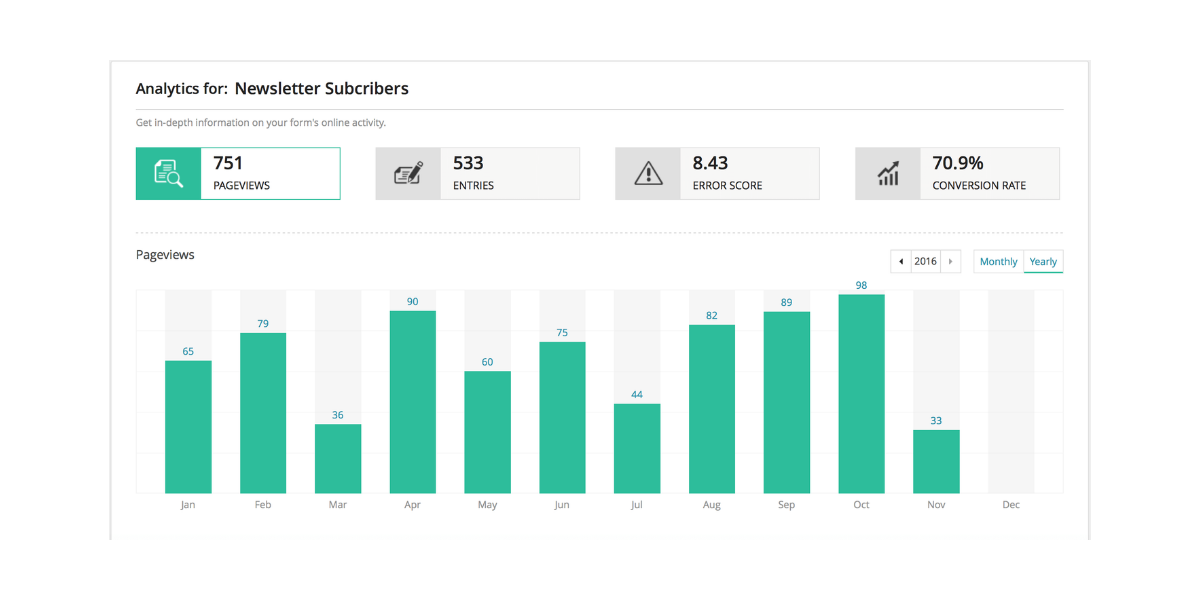
Zoho Forms makes it easy to form reports that show metrics such as views, submissions, error rates, and conversions. In addition, you can also record data based on UTM sources, payment status, and other factors. Ensure you understand how the campaigns are doing and the opportunities for improvement.
Methods to Increase Conversions With Zoho Forms
If you want to record the attention of site visitors, then the forms must be clear, concise, and targeted enough. Below is a list of steps that will help increase conversations with Zoho Forms.
1. Gain an Edge
The right placement and context are important for attracting viewers’ attention and their attention to engage with Zoho Forms. Every click made by a visitor can be a method to reach out or fill out a form.
The final goal must be to make this process simple and effective for the customers. This task begins before the form is even created and when you decide where it should be placed. If a contact form is not easily discoverable by the clients, it is natural that it will get less traffic.
Check if it is short enough to fit in a sidebar or on a high-visibility banner on the homepage. The placement options play an important role in increasing traffic and conversion rates as a final result.
2. Better Engagement
When using Zoho Forms, you should be able to balance the required data for collecting the number of visitors you want to convert. All additional form fields can be a hurdle if your audience has to overcome the challenge of submitting a form.
Every field in a Zoho Form should be evaluated to determine its importance. For instance, even a newsletter sign-up inquires for an email field, and a submit button only.
3. Collect More Data
Sometimes, a few fields are insufficient to get a job done. In this case, you should be able to add more fields without adding more barriers. To make this possible, you can begin by prioritizing your data and understanding the bare minimum information needed from a conversion.
You can also create a form for collecting a person’s name and email address, along with conditional options for expanding the form to provide more information. Remember that if either of your forms and fields is long, the respondents might abandon the form completely.
For any respondent, even a simple four-text field can be daunting as two text fields. This is also applicable to dropdown menus and multiple-choice questions. The more options you have, the more the chances that the respondent experiences a decision fix.
4. Use Multiple Pages
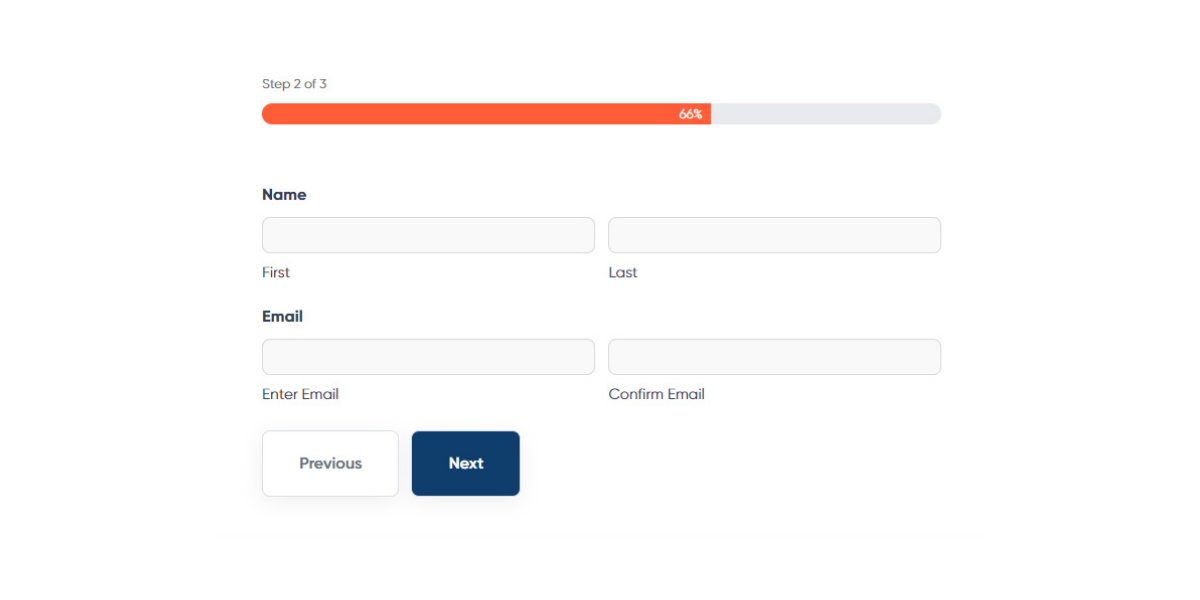
While making the Zoho Forms, you should use multiple pages to make longer forms much more digestible. Many times, you only need to collect a large amount of information. Still, you can make the experience easy for most respondents by breaking a form into different pages.
Offering a long form divided into some pages can make the entire process much more manageable. This also improves the likelihood of the respondent completing the form.
5. Call to Action Buttons
One of the best ways to inspire more respondents to follow a form is by adding a Submit button and a compelling call to action button. These buttons come with relevant messages that are mostly hard to ignore.
Remember that the goal is to ensure less friction and more conversions. A lot can be done to edit your forms, reducing friction and encouraging a higher completion rate. The call-to-action buttons are one of the best ways to make that happen.
Conclusion
Zoho Forms is an excellent online form maker that allows you to create web forms. You can create customizable business forms, configure email notifications, and collaborate with the teams with a simple drag-and-drop form builder.
Sign-up for Zoho Forms to ensure efficient data collection that can eventually help you gather and manage data from anywhere you want, whether online or offline.
We all know that increasing your online presence and reaching more customers is directly linked to having your website. You should strategically build a website from scratch if your goal is to have a good audience and a reliable customer base.
The good thing is that process of website building has become extremely simple over the past few years. Using website builder tools, it is possible to make highly functional websites without any coding skills or the need to hire a web developer.
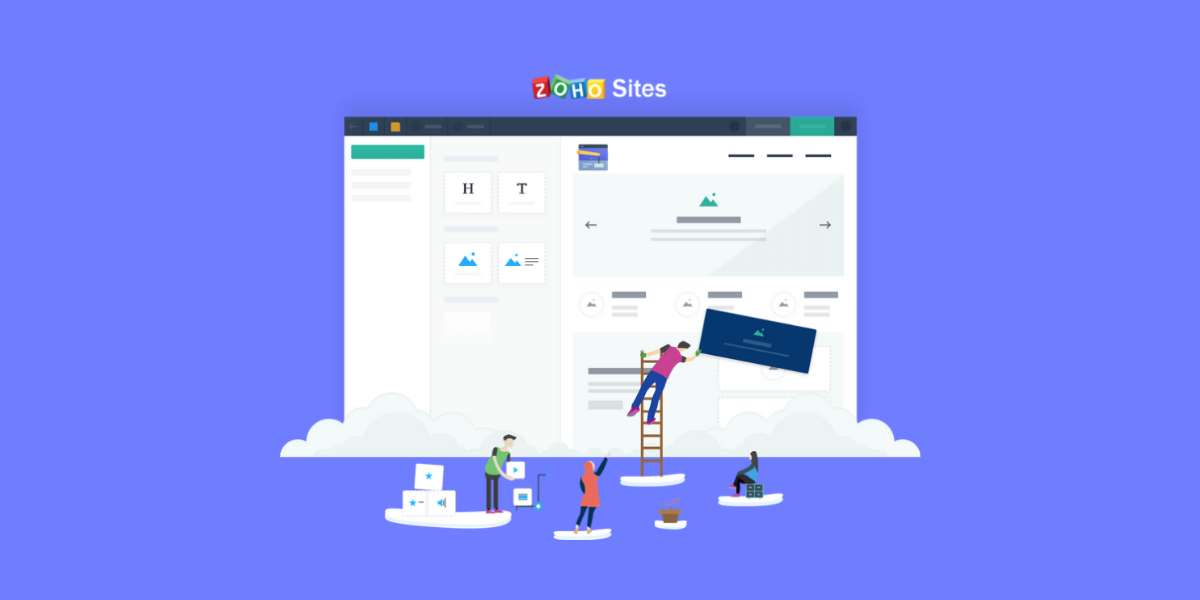
For instance, Zoho Sitesis one of the best instant website builders that enable you to create a visually attractive website within a few minutes only with a drag-and-drop tool. You can also create a website for free and get hosting easily.
What’s more, there are three upgrade options that offer additional features, including basic e-commerce tools. In case you have purchased the Zoho Corporation’s other software suites, you have instant access to Zoho Sites as well.
What is Zoho Sites?
Zoho Sites is an online website-building solution that makes creating a website a simple process. It does not matter if you are a beginner, an intermediate, or a pro, the features of Zoho Sites make website building a very simple process.
From building something simple like a blog or complex like a business website, Zoho Sites makes the entire process highly intuitive and easy to understand. There is no technical knowledge or web design experience required to build a website.
Zoho Sites comes with many features, including a professionally designed template, drag and drop site builder, responsive theme and design, image optimization, visual marketing tool, auto update databases, google tools, etc. You can start choosing a design template from the wide collection of Zoho.
Why Use Zoho Sites?
1. Responsive Design
Zoho Sites offers highly responsive and mobile-friendly design templates. This means that the site looks good on all screens and devices, including phones.
With the help of a drag-and-drop editor, one can customize a template to reflect business needs along with design preferences. Furthermore, the themes are professionally designed, which ensures that all our efforts look mature and well-defined.
2. Advertising Feature
Many website builders, particularly the ones that are free, provide you with the services in exchange for only being able to create and place ads on the website. In this case, many times, one does not end up getting any input on the ads that are displayed on a website.
On the other hand, for the users of the free version of the website builder, the space that you give is just a small spot in the website’s footer. This is right where there is a Zoho Sites logo and a link that says, “Create a Free Website.” This logo is appropriately adjusted and aesthetically pleasing in a way that does not distract the visitors.
3. Product Data Updates
When you create an online store and make some regular changes to the products in lines of pricing, models, etc., all that is needed to do is to create the update in the database.
Every page on the website featuring the product ends up getting automatically updated. When you create an online store with Zoho Sites, you are not just creating a web presence for a brick-and-mortar business, but you are also adding fundamental e-commerce features that can be integrated with useful applications.
For example, some of the Zoho Sites packages include a product gallery that can be listed for including all products that one wishes to sell.
4. PayPal Integration
It is possible to connect a website with PayPal so that all customers can check out easily and safely. This also involves multimedia tools like slideshows and support for videos that enable a variety of visual marketing techniques for showcasing products, image optimization, etc.
Zoho Sites gives unlimited file storage and bandwidth so that one never has to worry about running out of space or a site being unavailable due to heavy traffic load.
5. Zoho Sites Builder
The entire process of Zoho Sites is very simple and includes an email address and a password. You can be immediately redirected to the themes page while selecting the design templates.
There are multiple themes that can be chosen from, and regardless of the presence of a section for responsive themes, Zoho ensures that all themes are exceptionally mobile-friendly.
On the basis of an industry that a business might belong to, it becomes possible to browse themes related to photography, furniture, art, construction, real estate, non-profit, music, fashion, food, etc.
Right after the themes have been chosen, you can be led to the drag-and-drop editor, where it is then possible to customize the themes based on individual preferences and website goals.
Regardless of the fact whether you change the images and text or if you are interested in a detailed overhaul, it is possible to make the changes easily. Besides this, you can also alter the layout with elements, collect leads with forms, access data easily, use applications to integrate with third-party providers, and manage a store with a commerce tab.
Step By Step Process of Building a Website
There is no doubt that building a website can be a challenging task. However, we will collectively walk you through the process and show you that there is nothing to fear.
1. Purpose of Building a Website
You should be clear about the reason why you are building a website. Always start by thinking objectively and holistically. Just like building a brand, creating a website also needs a roadmap.
The purpose of your website should be branding and selling products online along with advertising your services. You should also know why your site exists so that you can set it in the right direction.
The next step is to note down the content sections so that the goal can be supported clearly. This can include a brand’s story, propositions, values, and practices. Moreover, this also tells you why most people will want to visit your website. If you want people to do something, then you must make that clear.
2. Do Visual Research
When it is about planning the entire look and feel of a website, then visual research helps a lot. Whether you are managing things independently or you have hired a digital marketing agency, you should prioritize preparing a visual vault.
There are many websites that are useful for finding images and videos to be used for pages where otherwise the content gets overlooked. It is best to collect and upload all your brand’s elements in just one place and organize them under different folders.
You can make different folders for photos, logos, articles, videos, illustrations, and fonts. Once this is done, it will become very easy to pull together elements that eventually work well for your brand.
3. Prepare Content
It is now time to collect all the content. Make sure that you spend a good time at this stage because good content is clearly one of the top things that make the audience stay.
You can start by preparing and sorting all the content for your pages so that everything goes smoothly and you have all the information at your fingertips. Streamline the content that will go on your site from top to bottom, including headlines, taglines, main content, and CTAs.
In addition, you can also update the content when you are building your site. It is highly recommended that you always start with a good base of content to make the journey a productive one.
Keep in mind that less is always more. You should leave your visitors wanting as compared to overwhelming them with a lot of information, and the quicker, the better. You should not leave your visitors leaving your site irritated because of extra loading time.
4. Define Sitemap
You must define the sitemap as a framework that forms the structure of the site. The site must include all pages you plan to create and the way in which they will connect. All pages that are well linked to one another give meaning to a good SEO strategy.
A nicely constructed website should have an attractive homepage, an about page, a products and services page, and a contact page. Other than this, it should also include a blog, FAQs, and a client or portfolio page.
5. Well-Designed Layout
Once the website structure is completely clear to you, it is easily possible to put together the important elements of a web page. It is also easy if you have been using a drag-and-drop website builder such as Zoho Sites.
You should choose a multi-functional template and also customize it to create a website that is not just unique but also true to your needs. That said, you should be mindful of following some best practices so that you can offer a good user experience to the users.
Make sure that you pay attention to the basis by including a relevant image; a footer with social media buttons, terms of use, a sitemap, and trust badges; relevant social proofs; well-optimized subscriptions; and CTA buttons.
6. Add Effects
The process of adding website effects can be quite challenging. Although you never want a dull website, it is important to keep in mind that even small things go a long way.
You can improve the user experience of your website by adding animations which is pretty possible in Zoho Sites. It helps in using relevant lines of code and also helps in adding a dynamic user experience.
There is a wide range of font and button colors that contribute to how visitors react to the messages, including bounce rate, conversion rate, etc. There is no need to get overwhelmed by these options.
You can have a good plan in place and execute it all through the site. These small but important additions can be helpful in linking visual elements and adding overall effectiveness to a site.
7. Add Social Media Button
In the present world, social media plays an important role in ensuring that people know more about your brand. Many website builders allow you to add social sharing buttons to a website easily.
You can place them in the header and footer of your homepage while allowing visitors to share content across social media accounts. This also helps in adding exposure that improves the fan base.
8. Search Engine Optimised Website
Search engine optimization often seems like a challenging topic to understand well and even execute. However, it is actually a rather simple topic.
A condition for ensuring good SEO is also to make sure that the content is strategic so that the site ranks higher. Taking small steps to optimize your site for SEO while including titles and descriptions for your pages can help.
You can also add ALT text to all the images, and most importantly, it is about picking an attractive and clear domain that makes sense from a marketing point. Optimization also means ensuring that you keep mobile devices in your mind while building the site.
It should be easy to navigate a website on any device without any scrolling results so that the user experience is optimal.
9. Publish Content
After all the elements have been put in place, you should also double-check everything. Read the content again and check all the buttons to ensure that they are working just as you wanted them to.
It is always good to get another opinion as well. Allow someone to use the website for some time and then ask about their user experience. It is necessary to ensure that the website is easy to use, the brand message is clear, and the overall user experience is positive. After this has been confirmed, you can go ahead and publish your website.
Conclusion
Zoho Sites is one of the best website builders that allow you to create professional and mobile-friendly websites in a matter of minutes. It comes with a simple drag-and-drop editor, meaning there is no need for any design experience or technical knowledge. It is possible to start your website today.
You can either build a website yourself, or you can also take professional support from Zoho consultants. If you wish to know more about building a website, take the support of consultants at Encaptechno today.
Many employees have transitioned to remote working, and with this, some parts of businesses have also become a lot harder. It has become all the more challenging to stay in contact with peers as people are left out of the loop, and even the simple tasks can take a lot longer than they used to.
Some problems are completely understandable, but they are also the ones that you can solve if you use the right tools. Many businesses now realize that switching to remote work/ Work From Home is an easy option.
With Zoho One implementation, an organization gets the tools that enable proper communication for going remote and meeting business goals. Zoho One helps in effective collaboration and communication across an organization. It helps in integrating file storage and various project management tools as well.
In this blog, we will talk about how Zoho One helps in remote working.
Centralized Files
It is very important to centralize the files in all scenarios. However, this becomes all the more important when people are working from different places. There are so many chances when the files get lost, and emails get sent back and forth way before anyone can find something. In doing this, important time gets lost.
Zoho One is an operating system for businesses that ensures files stay secure and easily available when they are required the most. It works like a centralized cloud repository that a business creates and interacts with.
The users can easily make these documents from the Zoho office suite and Zoho WorkDrive while supporting common file types you may have worked with. It is also easy to work with files online and save them to the hard drive using the desktop sync.
When the file storage gets transitioned to Zoho WorkDrive, it becomes easier to solve document duplication problems and reduce the time wasted on searching files. The documents can be stored in the WorkDrive and shared either at a team or an organization-wide level.
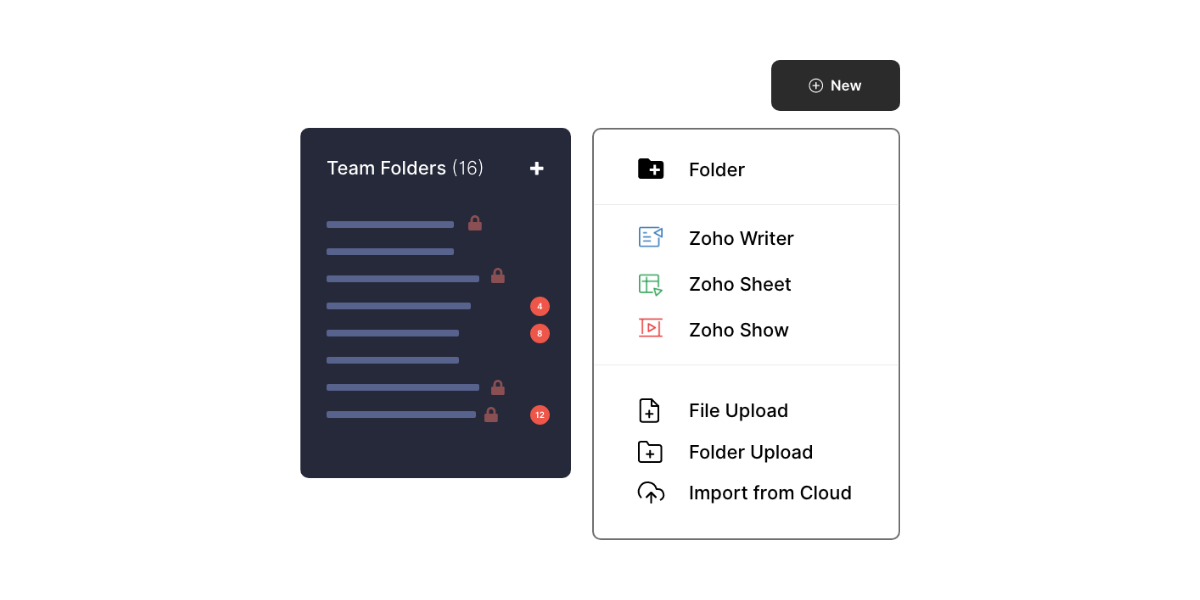
Zoho One comes with many Team folders that are essentially shared folders that the teams can collaborate on and even organization folders that can be used for distributing documents to everyone in an organization.
What’s more, the WorkDrive comes with absolute control over who can access what and a minute control on levels of access everyone has. For instance, a person can see a whole team folder but never edit it, while another can edit but never delete any team files.
With the enhanced control that Zoho WorkDrive offers you on the files, it is assumed that everyone only has access to what they require. Other than sharing with teammates, users can safely share files externally with the help of links customized to external stakeholders, passwords protecting those links, revoking them at any time, monitoring usage, etc.
Important aspects of file management, such as accessibility and security, can be looked upon easily. The documents can also be backed up and available to only people who need them. That said, they will also be available to everyone as quickly as possible and from different locations.
Communication
Communication is everything. Organizations that do well understand this fact well enough, and hence, they also use the right tools that are considered important for team communications.
At other times, some organizations don’t think this is a huge deal until they end up in confusion and when communication becomes challenging to navigate. Zoho One comes with many communication tools that have the best tool for all kinds of communication.
Below we will mention how the different tools help in various communications. This will help understand why Zoho One is a business management platform that helps in effective communication.
Unified Chat
Even the ongoing conversations must be quick, and chatting is often the best option to make sure that happens. It can become difficult to manage emails as it takes a lot longer to get a response.
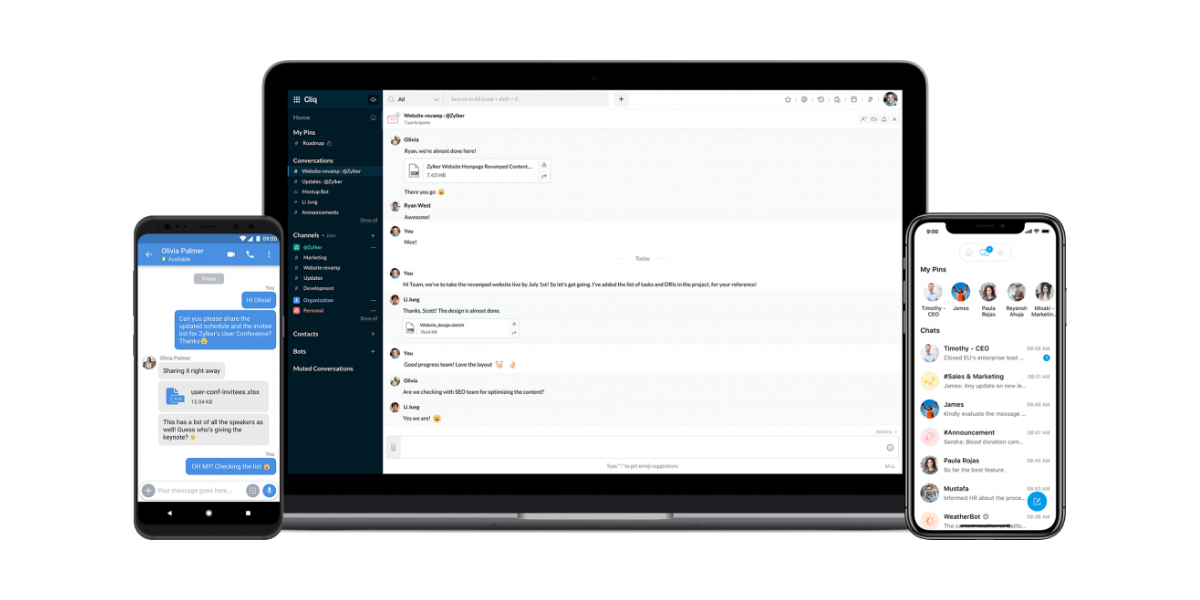
What’s more, a full email box can also seem daunting as compared to a series of messages. To solve this problem, Zoho Cliq helps in making communication easy as it comes with a flexible chatting service that makes it usable from any other Zoho app being used.
It is simple to react to messages quickly and even stay in contact with the team from anywhere you want. Moreover, you can also use it for staying in touch with the clients and others outside of an organization by setting up a guest chat.
Video Communication Tools
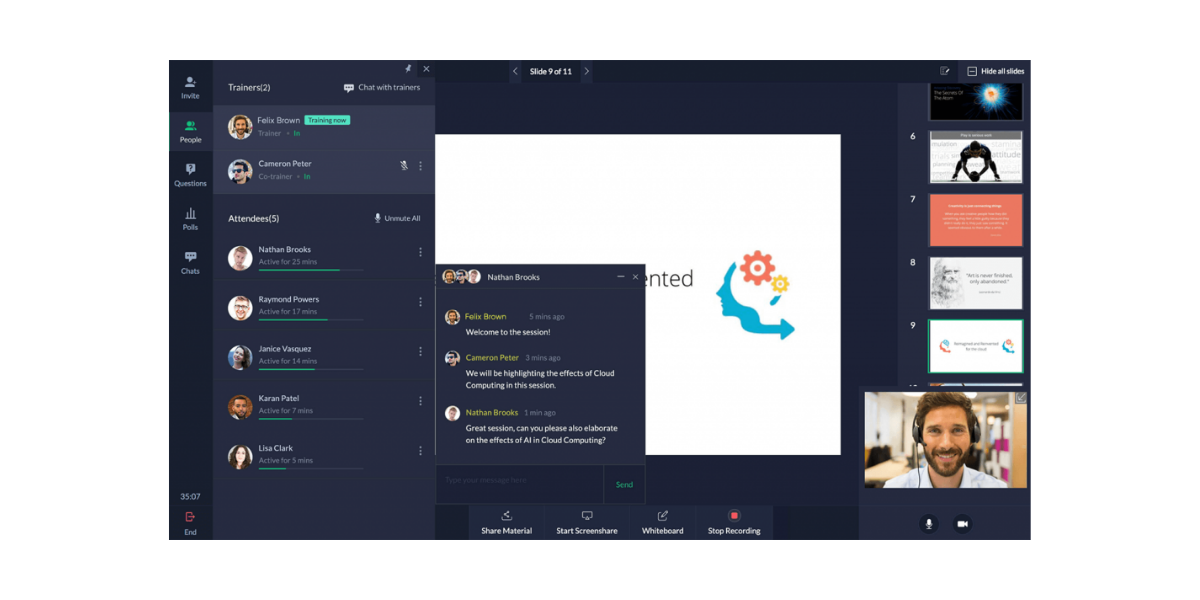
Video communication is important and works better for a couple of conversations. The showtime and meeting offer video communication tools that come with somewhat different focuses.
The Meeting option focuses more on video meetings, and Showtime focuses a lot more on education and presentations. When you have the one you prefer, it becomes easy to find all the needed tools.
The Meeting and Showtime options come with webinar tools, but web conferencing is an option that is only supported by Meeting. You can record webinars in either Meeting or Showtime, but it is only Showtime that offers on-demand webinars where the viewers can register to see a pre-recorded video.
It is mostly about choosing what makes communication easy and effective for you and your team. The video communication tools that come with purposeful features should be preferred by you and your team.
Smarter Email
The use of email is highly functional in many ways, but it tends to be overused when organizations do not create proper avenues for different types of communication.
However, there is no ignoring the fact that email serves as one of the most important parts of digital communication. Whether you wish to run your email by Zoho Mail or a third-party tool such as Gmail or Outlook does not matter. It should be clean, user-friendly, and integrated with the software.
Zoho One is an integrated business platform that helps in communication through email. It offers Zoho Mail which is not just an intuitive mail service but also integrates easily with Zoho One.
You can set up mail with Zoho One, which also means that you can add tasks to a project, extract information on customers from the CRM, and also save important documents to the WorkDrive. This will ensure that emails are never forgotten by starting chatting from emails and scheduling meetings.
Third-Party Integrations
The habit of using disconnected applications can create a problem in the process, but the truth is that it does not have to be like that. If you choose a third-party email service, you can integrate it with Zoho apps to keep business applications connected.
The WorkDrive also comes with integrations of Gmail and Microsoft that can be used for integrating the email services such as CRM, Sprints, Projects, and more.
Better Company Culture
After different communication avenues have been created, there is also a need to create a space that can keep the company culture thriving. Connect is one of the Zoho One applications that allows you to facilitate conversations among the teams and employees.
Rather than having a conversation that is too long, the users can effectively create forum posts and carry on discussions while making them accessible to almost anyone who wants to read them after the fact. This is one of the best ways to foster a friendly company culture.
Adaptable Project Management
The idea of remote work affects many communication and collaboration aspects along with productivity. Solving this problem can be managed by looking for a project management system that comes with the ability to work efficiently for a team.
People tend to look for a general approach to project management, but the fact is that different approaches work for different people, and it is always best to embrace this. One of the primary steps in evaluating project management software is team communication.
Different people have different project management styles, and the thing is that these styles have been used for so many years. Some people also wish to organize their work by emails or boards along with a detailed spreadsheet or application that includes all the information in just one place.
While evaluating which project management tool is correct, it is important to consider what you need. See if your team needs a shared project management tool or a board, or is it best that everyone picks their own tool?
The tools such as Zoho Projects in Zoho One applications make it easy to centralize data for a project and allow everyone to use the tools they know will work for them. By using this tool, a project manager can use the Project to get an overview of almost everything. The manager can also assign and add tasks from emails along with data that remains consistent.
Zoho Projects is also extremely effective in keeping a timeline on track, helping you manage unexpected delays, and offering reports so that you know exactly where you are. You can integrate with other Zoho one applications and be flexible so that it becomes easy to manage time and use Zoho Projects effectively.
When you manage the projects in Zoho Projects, you can easily give access to tools that are needed to stay on track when it comes to choosing the best. Zoho Projects is one of the best-integrated project management applications that leverage different communication applications for streamlining the process.
The primary step is ensuring that each project deployment comes with a strong foundation, and this can be achieved by setting up information for monitoring as different tasks are entered into the project, including a budget, task status breakdown, and the due dates of tasks.
After this is done, a template can be created so that projects and reports can run automatically as you enter hours and close tasks. In case you have been working on a big spreadsheet or a project management application, then you might have data that you are worried about losing.
Moving to a new tool can be an overwhelming process, but it can be made much simpler. You can effectively import the CSV files so that you work in Projects and pick up right when you left in the previous system.
Using Zoho Tools to Their Potential
In case you have been stressed about using Zoho Projects and also want to use it one day, then it can be used to work well for any need. Zoho Projects allows you to turn off all modules that are not needed by just using the tasks module and getting a feel for how Projects work before committing completely.
In addition, you can also use Zoho Sprints. Sprints is highly agile for project management and can extensively be used for design and development projects. Zoho Sprints is also good for projects if you have been looking for a simple method to navigate when you do not have a project roadmap. If you are looking to develop a new project or design something such as UX, then Zoho Sprints can help. Using the backlog and sprints module can make even a scattered to-do list feel a lot more manageable.
While managing the project management tasks, ensuring everyone uses the tool that solves their needs well is important. Zoho Projects comes with flexibility in how users interact with the project so that it can be extremely purposeful.
You can ask your team to use Zoho Sprints when everyone on a team wants to use a similar project management tool while checking it regularly and dealing with a project when it is unclear how one should reach the end goal. It is best to see the needs, check out the working of each tool, and communicate with the team for understanding the best option.
Conclusion
Going remote is not merely possible but can also turn in your favor. So many businesses have realized that switching to remote work can work well for them. Zoho One can be used by organizations to get the tools that allow proper communication for going remote and meeting business goals as well.
You can get in touch with expert Zoho consultants and implement the steps required to go remote with the implementation of Zoho One.
Companies and professionals all across the world have started to embrace the hybrid work model. This is the reason that so many business processes have moved on the internet already. The tools that enhance a business can be accessed quickly and it is also easy to collaborate with the distributed teams as a top priority.
Hence, Zoho has come up with the latest version of Zoho WorkDrive which helps in accessing files and collaborating with a team from any location. It is an online file management system that helps users to make the most out of features for improved team focus on goals and for driving a productive workforce.
Zoho realizes that in the middle of a transition, data accessibility, and content collaboration, there are some online file storage challenges that many organizations face. Hence, the introduction of Zoho WorkDrive 3.0 for accessing, collaborating, and optimizing the data from wherever you may be.
In this blog, we will understand all about Zoho WorkDrive 3.0 in complete detail.
Building WorkDrive APIs
WorkDrive 3.0 integrates easily with the business apps and also streamlines data flow across a company. It is a cloud-based file collaboration system that can be easily integrated with other applications or third-party tools. It comes with the below-mentioned features.
1. Optimize Team Folders
The team folders are like a virtual workspace where it is possible to create, share, and even collaborate on files. With Zoho WorkDrive 3.0, it is now possible to help your teams access and work on documents effectively with some new enhancements.
Pin a Folder: The overall number of team folders that are created in a company can be an important number. With these folders, it can be pretty challenging to find data when it is needed. If you are on a call with your clients but cannot find the folder with the project details for that client then there can be a problem. The Pin feature allows users to locate Team Folders by pinning them at the top of the list.
Better Interface: Zoho WorkDrive 3.0 is a content collaboration platform that comes with a detailed view of Team Folders so that you can find the right data at the right time. You can find the Team Folders that you have pinned and also the ones that you are supposed to join. In this update, there is also a feature to add an ability that helps in determining which Team Folders must be displayed on the left-hand side panel. Moreover, it is also possible to show all the Team Folders, only the ones that are pinned, and sometimes none.
Duplicate the Team Folder: A shared space that is made for one team or a fixed purpose is called a team folder. Think of a hospital that is supposed to share the same patient care plans with different nurses or doctors. The new features of Zoho enable the users to copy the complete team folder for sharing and collaborating with a different set of members.
2. Better Content Visibility
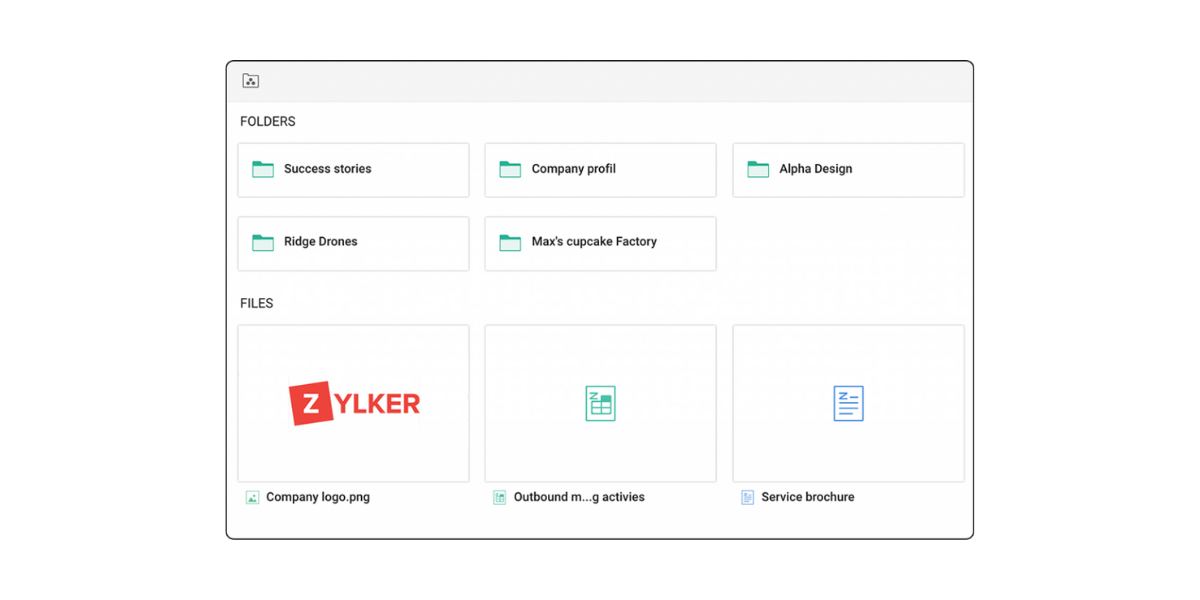
It was a thing of the past to scroll up and down for locating the right documents. The Zoho WorkDrive 3.0 helps in seeing more items in a folder using the compact view mode of WorkDrive. The team members can easily check the contents of a folder and take note as the WorkDrive 3.0 brings improved content visibility.
3. Work On the Go
In the present world, most mobile devices have turned into an extension of office devices. The Zoho WorkDrive 3.0 brings the latest mobile app enhancements. Some of them are mentioned below.
Access Folders: The entire process of allowing each file for offline access can be pretty time-consuming. Zoho WorkDrive 3.0 allows you to make a complete folder available offline for accessing work files on the go. This is even without a working internet connection.
Improved Creativity: Regardless of whether you are working on a design plan or you are making a character, it is possible to create and upload to the WorkDrive using Scribble. You can use the pencil, sketch, colour palette, and eraser for bringing your ideas to life.
Widgets: If you are tired of logging into a mobile application each time for finding a file or uploading a document then the widgets can be used for uploading images and searching WorkDrive directly from the home screen.
4. WorkDrive Genie (Beta) for Mac
There have been many requests for the WorkDrive update ever since it was launched. Zoho has introduced the new WorkDrive Genie (Beta) for Mac in the new Zoho WorkDrive 3.0. Windows and Mac users can easily edit the files stored in WorkDrive using a compatible application from the desktop.
5. Standardized Document Format
From legal documentation to client logs and employee records, the templates help in creating files with a consistent document setting. The new release of Zoho WorkDrive 3.0 comes with two major enhancements.
Categorize Templates: Most enterprises in the present world require using templates for many purposes. This can often make it difficult to find and even manage the documents in just one place. The new version comes with categories. With the creation of categories, it becomes easy to group the templates in any way you want.
Search Templates: Looking for a new template is not a challenging task anymore. One can find the desired template using the built-in search bar. All you have to do is know the name, author, and keyword in the content so that you can search directly from this bar. In the new enhancement, you can use the global search for finding a template from the gallery without any further need to look through the templates manually.
6. Preview Enhancements
The new version of Zoho WorkDrive 3.0 allows you to preview the PDFs and even the images in a wide range of sizes. The new feature of Preview Enhancements helps to zoom in and out easily, reset zoom for fitting the size of a window, and jump to any page.
7. Data Integrity
The purpose of data templates is to classify and organise most files at a team level. With the new update of the cloud-based file collaboration system introduced by Zoho WorkDrive 3.0, it is possible to help users in associating a Data Template automatically. Moreover, it is also possible to automatically add the custom properties to each file or folder. This is how most users can look for and instantly locate the required file.
8. Manage Collected Files
Zoho WorkDrive helps in receiving documents from internal and external users. It comes with improved functionality for managing the collection process.
Categorize Files: The storage of all files in just one place made it challenging to access the right data at the right time. The new version of Zoho WorkDrive 3.0 allows users to create a folder for each user based on their name, phone number, and email address.
Collection Report: It is necessary to receive the files securely but it is important to know the details of submission. These collections might take some time and be user-specific. You can get a detailed log of everyone who has submitted the files and at what time by creating a collection report.
9. PDF and Image Annotations
Annotations are called note that is added to a text or a diagram for providing added information. The new version of Zoho WorkDrive 3.0 comes with PDF and image annotation features.
PDF Annotation: PDFs are massively used in an organization and many times, you might even want to work with a client or a team member on a portfolio. By using the Zoho WorkDrive 3.0, you can easily use the annotation and collaborate with the team. Most users can also go to a page and add comments to a text or an area on the page.
Image Annotation: Let’s say that you have been working on a creative with your designer and you wish to give suggestions when they send the design. By using the image annotation, you can easily add comments on any specific part of an image and also work with your designer.
10. Improved Video Experience
The videos can be used in most organizations for boosting reach, engagement, and even sales. Zoho understands the importance of videos and brings three main features.
Video Annotation: Imagine that the team is working on a marketing video and it has to be sent to the product team for review. Once the video is sent to the product team, they will note the frames that must be changed and communicate this to the marketing team ahead. Using the video annotations, the team can go to any frame and add comments with a timestamp. This is how the team can directly share their expectations and the marketing team will be able to work on the video efficiently.
Video Cover Image: The Zoho WorkDrive 3.0 adds a lot more visibility and value to a video by using the cover image option from the WorkDrive. You have an excellent option of changing the default system-generated cover image as well. WorkDrive comes with an option to change the default images to a custom cover image while showing just what is there in the video. The newly updated images can now appear in all previews, embedded views, and as a thumbnail in the listing.
Video Chapters: Most of the videos tend to be boring. This is why Zoho WorkDrive 3.0 comes with chapters for navigating easily among the sections. The video chapters also help in breaking a video into sections so that you can see what is covered in the video and jump to the topic you are interested in.
11. Better Security
The sharing allows most companies to send across important files to customers, business partners, and stakeholders. This is a new feature that comes with two enhancements for making external links a lot more secure.
Passwords: The organizations share sensitive files with their business partners and hence, it is important to share the content securely because it might go out of the company. Zoho WorkDrive helps to mandate all users for setting passwords when it comes to creating external share links. It also helps in setting a strong password policy if needed while making the links more secure.
Expiration Period: There are times when many companies have to share official agreements, legal notices, and offer letters. Zoho WorkDrive 3.0 comes with an enhancement that allows users to set a default expiration period for external share links and downloading links to restrict any unwanted access. The default expiration period can also be applied automatically. Moreover, users can choose to manually change and even disable the expiration date if it is needed.
12. Notification Mode
Finally, the Zoho WorkDrive 3.0 also helps users to decide on the notification mode so that it is easy to know what is happening to a corporate file while being updated on the tasks and team projects. The Zoho WorkDrive helps you to choose the list of notifications you need along with the kind of medium that is needed to receive notifications.
Conclusion
There is never any need to worry about transferring company data when it comes to opting WorkDrive. Using the Zoho WorkDrive 3.0, you can easily move the files from a desktop or other cloud services.
The important thing to remember is that all businesses run on data regardless of the industry that they may be in. The main goal is to offer users an efficient data management tool for sharing, storing, and working together on documents.
Hence, Zoho WorkDrive enhancements are released each year for improving online file management. In the coming time, all users can eagerly look forward to the exciting new updates from Zoho with many new features.
Zoho People Plus is a cloud-based HRMS and one-stop shop for all your human resource needs. The software assists with the complete people process, from handling an entire employee lifecycle on a single platform to carrying out Core HR Operations digitally and quickly. A well-integrated solution, such as Zoho People Plus, may help your firm advance by optimizing HR operations and managing its people.
Your employees may receive outstanding digital HR experiences from Zoho People Plus while the entire employee life cycle is managed on a single integrated platform.
Empowering them and maintaining their engagement helps to create excellent teams.
You can construct bespoke services, start from scratch, and build workflows to link your ATS, HRMS, or performance tracking with timesheets.
Zoho People Plus- The Perfect HR Suite
You need a whole suite that would provide the ideal experience for your employees, given the growing requirement to hire the top personnel and keep them. With the help of the integrated Zoho People Plus suite of tools, you can manage your employees’ hiring, performance reviews, payroll (in India), and expenses.
Seven applications are included with Zoho People Plus to assist you in managing your employee relationship from employment to retirement.
When it comes to finding fresh talent, Zoho Recruit is your go-to tool. It lets you manage your personnel database, leave and attendance, performance reviews, travel management, birthday reminders, and more.
The integrated receipt scanner in Zoho Cost, a comprehensive expense management application, makes entering data quick and easy.
For all of your organizational discussions, use the communication software Zoho Cliq.
You can quickly process your employee payroll with the aid of Zoho Payroll.
Use Zoho Expense to automate processing payments, expenses, and invoices. Automate your HR procedures, employee requests, and business processes.
With Zoho Vault, you can store, update, and manage passwords for your entire team. Never again waste time typing or trying to remember your passwords.
With features like Q&A and multi-thread conversations, Zoho Interact is a platform for your employees to connect and collaborate. It also functions as a platform for remote collaboration.
Manage All Actions Involving Your people
With Zoho People Plus, it’s easy to keep track of every aspect of your employees’ demands and productivity. This begins with the hiring procedure and continues throughout the employee’s employment with your business. You may manage your timesheets, payroll, benefits, contacts, and personal information.
Discover jobs that your business has advertised and communicate with HR easily.
Arrange interviews and carry them out either in person or via video call.
Manage routine HR tasks such as timesheet administration, attendance tracking, leave administration, viewing organizational charts, and holiday lists.
Handles pay stubs, travel costs, and reimbursementsPrivate messaging, discussion boards, polls, press releases, town halls, and more.
Securely exchange passwords for popular apps among friends.
Establish directional goals and KRAs and obtain 360-degree feedback from managers and peers. Use the LMS platform to rapidly respond to employee questions while training them on the job.
Why Choose Zoho People Plus?
1. The central database for all personnel requirements
Real-time updates eliminate the need for manual entry.
With a consolidated database, all apps will automatically reflect modifications performed in one location.
2. Dismantle silos
Your people speak when your systems do. Develop a networked system for your teams so they can transcend their limitations and become more productive.
3. Simple to administer
You can manage all workforce-related tasks from a single administrative portal, add users to all applications, and define role-based access to various apps.
4. Speed up your procedures
Any amount of knowledge is useless if it cannot be accessed.
You and your staff can easily stay informed when the data is on a single platform. When everyone is on the identical page, your processes run faster, smoother, and brighter.
Get All You Want With Zoho People Plus
Employee digital experience: Utilize self-service solutions to guarantee a seamless HR service experience.
Adaptive software: Supplying methods for managing vast amounts of data as firms expand
Easy customization: Customize existing services or design all HR-related services from the start.
Active collaboration: Foster cross-departmental or employee collaboration.
AI Assistant: Automate routine processes like event planning, reminders, or approval bot creation.
Strong analytics: Make the best choice by carefully examining the data for each function.
An Integrated And Unified HR Platform for a Better Employee Experience
Manage your personnel life cycle, time-consuming activities, and employee empowerment on a single platform with Zoho People Plus. Zoho People Plus provides an exceptional employee experience while allowing you to optimize your HR procedures and create a collaborative and engaging atmosphere within your organization.
1. Control the employee lifecycle
Zoho People Plus can help you manage the entire employee lifecycle, from hiring through onboarding, engaging, and empowering employees. From an applicant tracking system to expenditure management to an internal portal that encourages employee engagement, our system delivers the tools you need at each level.
2. Employee engagement
Improve workplace efficiency via employee engagement. With automation, Zoho People Plus creates a productive work environment and offers a variety of fun processes to connect teams while boosting engagement and productivity.
Social platform: Involvement of teams and fluid teamwork. Create a conversation platform for the group, and even between teams, so that ideas may flow freely, discussions can be finished more quickly, and the most crucial decisions can be reached jointly.
The AI assistant Zia: Zia, the intelligent assistant from Zoho, helps with scheduling and arranging activities like interviews, staff orientations, and client meetings. Zia can also set alerts, send messages and reminders, and help reschedule.
3. Scale for your HR requirements
Zoho People Plus expands with your company. So no matter how many employees or data you have, you will never be without the tools and resources you require for your organization to succeed. The Zoho People solution was designed to help organizations manage their human resources.
4. Talent acquisition
Experts in human resources rely on fostering a positive workplace and culture to maintain substance and compete.
Gaining crucial insights throughout each stage of the hiring process is made feasible with this service.
Simple to administer: This establishes and maintains a single platform for all employee-related management to facilitate easy and rapid access.
Single database for the needs of all personnel: With real-time updates, a single database eliminates the conventional method of entry. Instead, changes made in one place will be automatically reflected elsewhere. As a result, it is simpler for staff to stay updated with a single database.
5. Recruiting
The most expensive subscription from Zoho People includes a tool called Zoho Recruit, which is used for recruiting.
You can manage job advertisements, candidate pipelines, and candidate information from a single spot with the help of Zoho People Plus’s ATS features. It’s simple to edit your job applications. Streamline your hiring process, provide candidates with a wonderful experience, and get the top candidates.
Find Candidates
Resume parsing
Applicant tracking system
Onboarding
Offer letter management (with E-sign)
6. Talent management
Key Result Areas (KRAs) assist in laying out talent tasks, from new employees to team leaders.
Zoho People Plus offers the ideal approach to developing, managing, and directing people toward an organization’s objectives.
The system allows employees to grow professionally for each job role and aligns them with smaller personal and larger company goals.
7. Core HR
Streamlined and effective HR procedures: With the incorporation of Zoho People Plus into the company, daily HR processes can be automated, employees can be given more control, and HR operations may be transformed. As a result, HR procedures are effective in improving employee satisfaction.
Case management in HR: Assign an agent, categorize each query type, and organize and track each case’s progress according to established SLAs using the HR case-management application. The many inquiries about travel, wellness, corporate policies, and complaints are streamlined by a management solution.
Stages Of Zoho People Plus Project Schedule
There are several stages to the Zoho People Plus project timetable-
Process and policy information exchange, data gathering, and verification
Module configuration by organizational rules, automation and process, and dry portal testing
Analytics and customization of the platform’s integrated HR services
Strategic development and integration of all tool
User testing, training, and feedback integration throughout 4-6 sessions
Data entry, data matching, client-verified data review, and data rectification
2-3 administrative training sessions, client handover, and go-live
What Benefits Does Zoho People Plus Offer Your Company?
You can control every aspect of HR administration from a single dashboard while knowing that all employee data is safe.
You’ll be able to maintain track of your time, annual leave, and attendance, which will help you avoid mistakes and simplify timesheet creation.
You can determine an employee’s strengths and shortcomings as you set goals, provide feedback and evaluate performance.
With this fabulous kit, you may automate mail notifications, set tasks, start automatic field changes, and launch bespoke applications.
You may use your time more productively and intelligently by setting up clever workflows.
Customization enables you to design unique forms with the data you need to meet your business needs.
Use Zoho People Plus And Get The Best Results
Zoho People Plus is an all-in-one unified HR platform that supports the complete people process, from managing the entire employee lifecycle on a single platform to performing the Core HR Operations digitally and effectively. You may give your employees a wonderful experience with the aid of Zoho People Plus.
Enables people to effortlessly communicate with HR and find jobs that your business has posted.
Schedules interviews and conducts them by video call or in-person to simplify the screening process.
Simplifies the transition from applicant to employee and automates the onboarding procedure.
Assists in managing routine HR tasks, including handling timesheets, keeping track of attendance, tracking leaves, viewing organizational charts, creating holiday lists, and more
You can define directional goals and KRAs and receive 360-degree feedback from peers and supervisors.
Can use the LMS platform to respond to employee questions rapidly and train them on the job
Handles pay stubs, travel costs, and reimbursements.
Enables open dialogue through one-on-one chat, forums, polls, announcements, town halls, and other means.
Aids in securely distributing passwords for popular apps across peers
The Bottom Line
Zoho People Plus is an excellent option for businesses looking for economic HR software with top-notch hiring features, time-tracking capabilities, and cost management capabilities.
In actuality, Zoho People Plus offers features comparable to some much more expensive options.
Reducing HR procedures and managing employees, a well-integrated solution like Zoho People Plus could accelerate your company’s growth.
To get the best assistance with Zoho People Plus, contact our skilled team of experts at Encaptechno. As an authorized Zoho Partner, we have been assisting businesses in becoming truly digital by offering implementation and consulting experience. In addition, we aim to close the loop at every stage thanks to our exposure to rules, procedures, and processes from various industries and organizations.
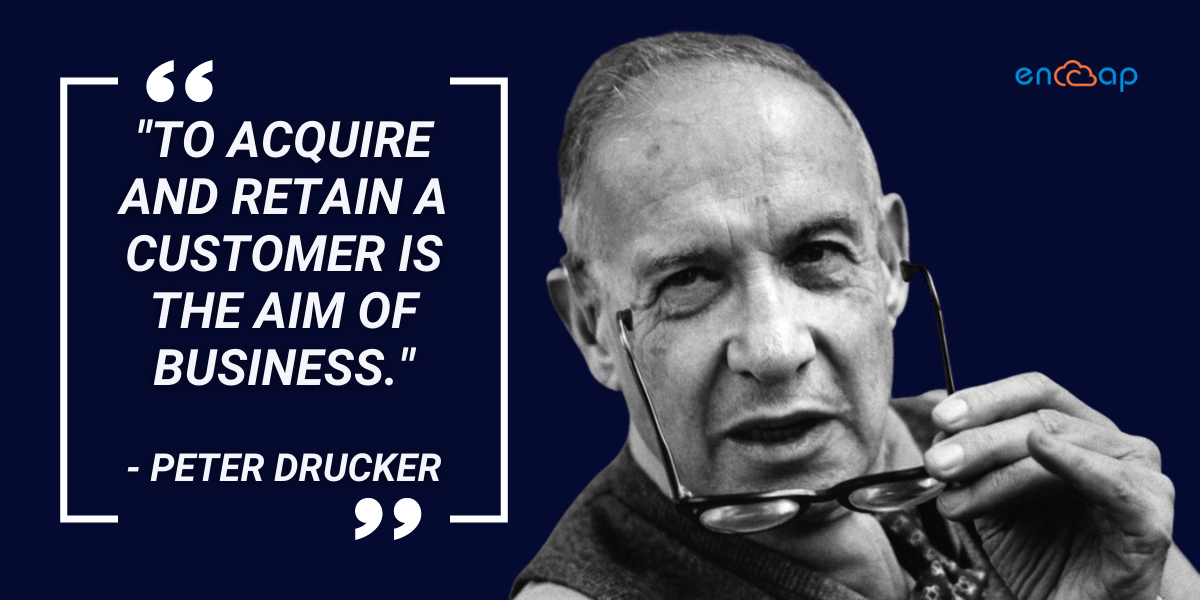
“To acquire and retain a customer is the aim of business.”- Peter Drucker
Businesses value their customers. Customers are nurtured by companies of all sizes with a Customer Relationship Management (CRM) solution. Zoho CRM is one such CRM tool that has revolutionized the company. It is a straightforward cloud-based SaaS (Software-as-a-Service) CRM jam-packed with several customizable features.
Small and medium-sized organizations may use Zoho CRM to engage customers better, manage vendor and customer data, and boost conversion rates. In today’s environment, whether you win or lose depends on how you gather, manage, and use information.
Therefore, a customer relationship management (CRM) system is created to handle a business’s relationships with both present and potential customers. Sales, marketing, customer care, and technical support are coordinated, automated, and organized using CRMs.
In other words, a CRM system is a tool that aids in the automation of procedures that, in turn, improve customer management. If you’re thinking about a CRM solution, you have many choices, including Salesforce, Microsoft Dynamics, SAP, Sage, NetSuite, SugarCRM, Oracle, Zoho, and many more.
They each have particular advantages. When you look closely, you’ll see which option suits your business needs ideally.
Some Indicators That You Need A Practical Route Planner To Optimize Your Delivery Operations-
You run a flourishing company that uses intelligent routing software to meet the changing needs of its customers for quick and timely deliveries.
You can easily accommodate more than a few customer addresses or locations in a single day.
Planning on-demand delivery routes are challenging, and you must rely on Google Maps to quickly change delivery schedules.
Explaining delivery timetables and other information requires a lot of time and work.
Explaining daily delivery plans and routes to your on-ground workers and riders requires much time and effort.
You want to improve route management to achieve cost and time effectiveness since you know that your existing route planning skills are inefficient.
You want to increase the speed and accuracy of your logistics planning processes by reducing or eliminating human intervention.
Your logistics operations should be fully controlled thanks to effective planning, transparent communication, and constant ground visibility.
RouteIQ For Zoho CRM
A route optimization software is a dynamic process that assists fleets in locating the least expensive and most efficient routes to their destination.
The software uses algorithms and analysis to examine many parameters to choose the best path. Planning a logistics route can lower distance, improve last-mile delivery, boost productivity, and provide other benefits.
You can install and configure RouteIQ from the web app and be a paid Zoho CRM user to use the RouteIQ mobile app. Through the provision of map visualization, efficient route planning, and Map Reports via both online and mobile apps, RouteIQ, a mapping tool, improves Zoho CRM.
RouteIQ enables you to close more sales while conserving time. Your CRM custom views are available as interactive map views using RouteIQ. To help you plan more effectively, you should easily understand how your lists’ locations relate to one another while you work in your CRM. By offering Map Visualization, Optimised Route Planning, and Map Reports via the web and mobile apps, RouteIQ is a comprehensive mapping solution that improves Zoho CRM.
Make sure your customer visits for field sales and service operations are optimized.
View Map Reports seeing where your clients are concentrated in thermal and numerical forms.
Use a map to visualize your leads, contacts, and other CRM data to learn more about the demographics of your target market.
Characteristics of Route IQ for Zoho CRM
Map display
Put your prospects on a map that you can engage with. First, utilize the Near Me function to filter options based on their proximity to your location. Then, using the day’s scheduled or flexible meetings as a guide, plan the best routes for your field sales and service operations.
Utilize Location Intelligence to analyze your data utilizing thermal and numerical representations.
Optimized route plans
This CRM-integrated mobile map routing app is a potent tool for managing travel time and expanding the number of leads you can reach.
By integrating with Zoho CRM, you can automatically design routes around various parameters such as leads, contacts, scheduled appointments, and drop-ins.
Google Maps API integration
Google Maps API integration is used to showcase the routes that would provide you with the best possible travel option.
By adding or removing stops from the list, routes can be modified on the fly. Other mapping tools included with RouteIQ allow you to view heatmap clusters on the map, neighbouring clients, and potential transaction sizes. Once you are there, use the Check-In tool to record the time, date, and position of your mobile device and approximate it to the scheduled appointment time.
Your Zoho CRM addresses can be taken by RouteIQ and mapped for you to see. You can now gain insights about your prospects and customers by interacting with the data in your CRM through a map interface.
To create the ideal map, pick from various filters and criteria, or display all your addresses on a single map view. You can select high-profit deals that are flagged in Zoho CRM in the example below and have them shown on the map. The user interface maps the results and displays a list of bargains on the left that match the search and filter parameters.
Plan, Optimize, and Navigate
Create an automatically optimized route based on the distance, appointments, and drop-ins.
If there are any cancellations or more customers to add, modify the route.
Single-click navigation to any planned routes or clients
Integration Of Zoho CRM And Route Planner Route IQ
Let’s explore why choosing an integration of Zoho CRM and route planner Route IQ for your field sales may be a wise move in the following ways-
To meet with more potential clients and consumers, increase productivity by determining the quickest travel routes.
Deliver effective customer service by always being aware of where to find clients and prospects so you can fast get in touch with them.
Improve your sales by having access to all customer information while you’re on the go so you can give meetings with customized messages.
You may automatically collect data from the field with a centralized database that regularly updates your CRM.
Let’s explore their benefits-
Spare your medical representatives from unnecessary journeys and expenses
According to studies, a medical representative sees seven clients on average per day. Assume that to make a sale; they must go that route at least three to four more times. That is equal to four times the cost you have set aside. So how can you be confident that your salespeople save money on travel expenses? First, you can save time and money by scheduling appointments with all of your HCP prospects before your visit.
You can bridge the expectation gap by using the calendar booking options with route planners. These features include rescheduling possibilities, so you may always fill that time slot with another client if the HCP postpones or cancels the appointment.
Enhanced Customer Service
The seemingly insignificant things you do can significantly impact how your prospects and clients view you. As we previously discussed, taking notes during meetings with healthcare professionals and organizations can help you make a solid first impression.
Similarly, being on time can help ensure you have a fair chance against your rivals.
Since your sales representatives will have all the information they need to make the best pitch and make your customers feel valued, a route planner connected with CRM can help you improve your customer service.
Automate the organization of your field sales strategy
A route planner also provides your sales team with the freedom to arrange their field operations in advance, which is another benefit. Make a route map, choose how far you’ll need to go that day, pinpoint your consumers and business prospects, and adjust your budget accordingly.
This offers a methodical technique that might boost team productivity.
You may ensure that your attention is on prospects with a better likelihood of making a purchase and increasing income.
Sales managers can see everything going on in the field
In the same way, as sales representatives encounter difficulties in the field, sales managers also face difficulties. Therefore, they also monitor field sales activity, check-in and check-out times, and sales rep whereabouts and ensure expenses comply with the policy. With a route planner, sales representatives can share their whereabouts and activity logs with their teams and supervisors, giving management full access to each rep’s sales success.
Additionally, it can assist them in validating each expense incurred during field trips and ensuring accountability for any falsely reported costs.
Field representatives can make sure they don’t overlook crucial information.
Field representatives can make sure they don’t overlook crucial information
Before purchasing, prospects frequently have specific needs and questions that demand special attention. Sales representatives frequently have to go back and speak with their management before responding to these unusual questions.
These minor details could be overlooked by the rep, who is out in the field seeing several customers, or they could be confused with another prospect.
Route planners provide a note-taking feature that enables sales representatives to record vital details and attach files for quick access.
Taking notes is a beautiful method to demonstrate that you value your clients and potential clients and want to give them the most satisfactory service.
Conclusion
The correct route planner can perform miracles when coupled with a CRM application. Your records and papers can be centrally stored so that you and your team can access them from any location at any time.
The development of CRM solutions now allows you to automatically synchronize your data, reducing human labor and guaranteeing error-free data collecting.
You may easily combine your CRM with your preferred route planner, or our team at Encaptechno can assist you in integrating the Zoho route planner within your Zoho CRM. Through the provision of map visualization, efficient route planning, and Map Reports via both online and mobile apps, RouteIQ, a mapping tool, improves Zoho CRM.
Business intelligence is a fine combination of analytics, data visualization, data tools, data mining, and some of the best practices that help organizations to make data-driven decisions. The business intelligence trends help modern businesses to get a comprehensive view of data when the aim is to drive change, eliminate bottlenecks, and adapt to supply change.
The thing with modern BI solutions is that they offer flexible self-service analysis and governed data while empowering business users with deep insight. A lot more than something specific, business intelligence is a term that covers methods of collecting, storing, and analyzing data from business operations.
The business intelligence tools help in streamlining processes and workflows needed to create a comprehensive business view for making actionable decisions. Over some time, business intelligence has also managed to evolve in the sense that it improves performance.
Importance of Business Intelligence
Business intelligence trends can allow organizations to make better decisions by showing present and past data that comes in the business context. Data analysts can use BI for offering performance and competitor standards so that an organization can smoothly and efficiently.
Business analysts can effectively see market trends for increasing the sales and revenue of a business. When used effectively, the data can also help in compliance with hiring. Some of the ways in which business intelligence helps companies decide smartly are mentioned below.
Find ways to increase profit
Compare data with the competitors
Study customer behaviour
Track the performance
Foresee success
Streamline operations
Study market trends
Find problems
Working of Business Intelligence
Businesses have multiple goals and questions and to answer them all, it is important to track performance for achieving these goals. Gathering important data, analyzing it, and finding actions to take are important for realizing goals.
When it comes to the technical side of things, data can be collected from business activities. It can be processed and stored in a data warehouse as well. After it gets stored, users can also access it, and start analysis for answering the business questions.
In the past, business intelligence tools were based on traditional models. A top to the down method was followed where business intelligence was extracted by the organizations and most questions were answered with static reports.
In case someone had a question about a report they received, the usual request was to go to the bottom of the queue and start the process all over again. As a result, many frustrating reporting cycles followed and it became difficult to take decisions.
Traditional business intelligence methods are still very common for regular reporting and answering questions. However, modern business intelligence trends are pretty interactive and approachable as well. With augmented data analytics and new BI trends, the process has become very simple.
IT departments are still important for managing data and many users can customize dashboards while creating reports on short notice. By following the BI trends, users can be empowered to use data and get important questions answered.
New Trends to Look Out For in 2022
1. SaaS and Cloud Application
The pandemic has put many businesses in an emergency situation as they try to make sense of the entire situation. Many organizations struggled with managing on-premise solutions and as a result, an evident solution was to look for business intelligence trends.
To make sure that business intelligence is not compromised, organizations started migrating to cloud-based BI whether it was on a private, public, or SaaS solution. Many companies realigned their overall budgets after the pandemic so that enough space could be made for adopting cloud infrastructure in the move towards remote workforces.
Businesses all over the world think that analytics is a critical capability and companies should not shy away from adopting data solutions. This is why it has become important for organizations to adopt SaaS and cloud applications.
2. Cloud Analytics
Moving data to the cloud has enabled many businesses to get enhanced access to data for collaborating and being productive in the middle of a distributed workforce. To attract actionable and timely insights from data, organizations are using the power of cloud analytics.
Business intelligence is all about driving business efficiencies. On the basis of budget, hardware, security and compliance, and many other factors, business analytics can be deployed on private, public, hybrid, multi, community clouds, and microservices. This leads to making cloud analytics adoption very easy.
Cloud intelligence is all about the deployment of intelligent tools over the cloud infrastructure so that it becomes easy to access virtual networks including the internet. It is about offering firms insightful business intelligence data including KPIs, BI dashboards, and other types of business analytics.
3. Unified Data Management and Analytics
The simple combination of BI stack has changed the scenario of reporting applications into the modern BI and analytics platform. Some new additions are taking place in the data preparation phase with integration, preparation, management, and even insights becoming an important part of BI workflow.
The ML and AI capabilities along with a combination into the BI stack continue redefining self-service BI and analytics in detailed ways. Automation also democratizes and simplifies business intelligence and analytics for everyone.
4. Natural Language Processing
Automation allows action and natural language processing too. As the NLP capabilities increase, more and more vendors attempt to make platforms accessible for users. Many employees use data for making informed decisions.
A common barrier to working with data is that many people do not have a background in statistics and computer science. Many employees do not know to code, and what’s more, is that they do not even have the right training for interpreting data and asking questions that lead to insights.
Augmented analytics decreases any barriers as it guides business users with a no-code capability including some NLP features that allow data queries in natural language. The adoption of AI is expected to pick up in the coming year.
Multiple companies are behind the curve in their capabilities such as augmented data analytics, natural language querying and natural language processing. It is expected that most organizations will be leaning on AI for improving data quality and discovery as they look forward to trusting data and insights delivered from analyzing it.
5. Augmented Analytics
The quick adoption of applications and technologies has managed to create many consumption points for augmented data analytics. Offering a detailed context is emerging as an important functionality for the business intelligence vendors.
For addressing this, there is a wide range of analytics platforms that include AI and ML capabilities all across various points in the business workflow for better insights. The progress of NLQ capabilities in immersive conversations is also driving the adoption of BI amongst many business users.
The new advancements also open up many possibilities in the areas of analytics driven by search results. Decision intelligence has also started gaining great popularity in the business environment. These are some enablers that complement the decisions made by human beings.
An effective enabler is automated insights because it overcomes visualizations with important insights in the form of narratives that give more power to make better decisions. With the implementation of self-learning and deep learning ML models, the BI workflows make artificial intelligence smart and scalable.
6. Unified Business Analytics
An adoption of business applications all across multiple companies has led many platforms to become data-centric as they expand into stable business app integrations. This also creates more opportunities for data integrations.
With native app integrations and advancements in domain-specific data models, it has become easy for many businesses to gain quick insights without worrying about building reports and dashboards. These business models can be trained for addressing fixed business needs.
A deep analysis from datasets is now becoming simple and quick with improved auto modelling and blending capabilities. This has managed to pave the way for real-time and cross-functional analytics that offers detailed insights.
7. Data Storytelling
The use of dashboards and revenue are now under attack. Businesses are now looking way beyond old capabilities to have data and insights presented without any kind of bias and with detailed empathy so that it becomes simple to make better decisions.
Data storytelling is one of the business intelligence trends that also explore many ways of breaking down KPIs and humanizing data interactions. The consumerized delivery experiences are always in the form of purpose-built portals, documents, presentations, etc. The insight delivery mechanisms are now more immersive and interactive with AI augmentation.
8. Monitoring Business Activity
The augmented data analytics platforms are made to keep a close sight on the KPIs. This intelligence is built into the platforms for smartly analyzing data, spotting outliers, flagging critical changes in KPIs, and much more.
Multiple companies are now adopting applications and platforms that can offer data alerts in an application workflow context without any need to log in to the application. This leads to a reduction in response time while allowing businesses to take instant action on alerts.
An extension of traditional BI workflow is that modern platforms are built to trigger many actions for getting detailed insights. As we move forward, the augmentation of AI and ML abilities allows platforms to decide the actions that must be triggered based on insights.
9. Embedded Business Intelligence
Other than software vendors and business consultants who embed BI into their applications, there are many markets that see a rising trend in businesses adopting embedded BI. This is easily possible with analytics that use capabilities to create applications from existing assets.
The rising business intelligence trends continue to improve API stacks while making them robust for shorter development cycles with prebuilt and reusable components that require less coding. This also allows teams to build functions that are based on business needs.
With the ever-rising popularity of analytics, B2B applications are now delivering a natural analytics experience as an important part of the workflow. This cuts down the number of applications used for understanding data by delivering a comprehensive and all in one analytics experience.
10. Moving Towards Mobile
By moving work patterns and business demands, organizations all over the world are looking to equip their workers with productivity-improving software. This also includes SaaS solutions for accessing reports at any time and anywhere.
Although most internet users access the internet through mobile, the market share is not the only reason for implementing mobile BI. Most users can choose to receive KPI based alerts and react promptly to most events as they happen. The mobile BI also has a responsive and light version of the main analytics platform that places the power of analytics in the hands of a user.
The on-demand information availability allows for quick decision making, short workflows, and effective internal communication. Limited screen size and functionality can be restrictive which is why mobile analytics is a good trend in business intelligence. Mobility is an important aspect of many vendors’ offerings in response to the company BI requirement list.
Conclusion
Owing to the never-ending need for analyzing data, making an investment in BI is now an important aspect of businesses all across the world. This is why it is important to know about all the new updates in the market and implement the latest developments.
The business intelligence trends can be fundamental when it comes to embracing new technology or evaluating vendors for analytical needs. As an early technology adopter, Zoho has managed to change the manner in which businesses are taking important data-driven decisions.
If you run a company and also wish to implement business intelligence tools then now is the best time to adopt a Zoho Analytics tool. It will reassure you about your investment and the resources will also be aligned with the present business needs.
Almost every job requires similar activities. For example, people produce plans, proposals, drawings, presentations, and evaluations. They compose their work using spreadsheets, editors, and presentation software. They frequently get together and compose with colleagues. They save their work and selectively make it available to others for collaboration, review, or consumption. They also interact with people inside and outside their organization, such as customers, partners, and possibly other teams. All of this must and securely work together on the cloud. That is precisely what the Zoho Workplace suite accomplishes.
Zoho Workplace is a collection of communication and collaboration applications offering a comprehensive set of solutions for collaborating, creating, and communicating with your teams.
Team contributors may be effective anyplace they’ll be, as Zoho Workplace has many cellular apps that allow them to paint on the go. These apps consist of Docs, Writer, Sheet, Zoho Mail, Inbox Insight, Zoho Mail Admin App, Showtime, Connect, Cliq, and Streams. All of this must and securely work together on the cloud. That is precisely what the Workplace suite accomplishes. Zoho workplace’s enterprise collaboration and communications platform have more than 16 million users worldwide. This significant growth is attributed to rising business demand for contextual applications that adhere to the highest standards of user privacy and increasing costs from other collaboration platform providers.
Zoho Workplace combines email, document management, presentation, chat, and other communication apps into a single platform. You can take your office suite everywhere with Zoho Workplace, viewing and working on documents, spreadsheets, and presentations. The necessity of moving away from physical offices and the growing acceptability of remote labor has altered the way businesses operate. Businesses with more flexible work cultures and better responses to economic changes have coped better.
Capabilities of Zoho Workplace Business Workplace Suite
What more could a business want besides the employee’s active participation in the project? The fruitful result is possible only with the employees’ cent per cent dedication and devotion. ZOHO workplace removes each obstacle that may appear as a barrier to the employee’s performance. Employees can work as per their comfort level and opt for a better performance approach. Businesses that need their teams to create, communicate, and collaborate can turn to Zoho Workplace for a solution. This collaboration medium bundles into one platform apps on document management, chat, presentation, email and communication tools. Once they decide to get Zoho Workplace, businesses get Zoho Writer, Zoho Docs, Zoho Sheet, Zoho Show, Zoho Mail, Zoho ShowTime, Zoho Chat, Zoho Connect, and Zoho Sites. Zoho Workplace continues Zoho’s tradition of bundling tools and apps to serve customers better.
Users can make audio or video calls from within the app, edit document attachments in Zoho Writer, and access all email accounts in Zoho Mail. Users can also check-in and out, set custom statuses, collaborate with external stakeholders, and view the message-read status. Users can also schedule recurring or one-time meetings and set multiple email reminders from their web and mobile devices.
The platform integrates with HR information systems such as Zoho People. Users of Zoho Connect can moderate content and modules using permissions and user policies. Users can also convert documents to fillable forms, limit the visibility of comments, gather document engagement insights, and enable an AI-based writing assistant.
Users can access lookup and match functions, visualize historical data with race charts, create drop-downs with predefined values, and link cell ranges with Zoho Workplace. Users can also assign roles and privileges to their training team and collect training data with this online office productivity suite.
Zoho Workplace Features
The main features of Zoho Workplace are:
Document editor
Spreadsheet editor
Unlimited custom apps
Team collaboration
Group sharing
File storage
Unlimited file recovery
Presentation editor
Presentation sharing
Password protection
Custom branding
eDiscovery
Advanced analytics & reporting
Audit trail
Cloud storage
Active Sync
Website builder
Instant messaging
Unlimited groups & channels
Smart inbox search
Multiple domain hosting
Business email
Email forwarding
Corporate social network
How Does Zoho Workplace Help Your Business?
Zoho Workplace is a suite of integrated applications. It is a set of unified communication tools that allows your employees to do their jobs more effectively. So not only does it help you collaborate with your team, but it also helps you create and communicate more effectively. Zoho Workplace equips you with the tools and abilities you need to increase the effectiveness and productivity of your group and complete tasks quickly. Document management, presentation, email, chat, and other communication tools are included in a single package or bundle on a single platform.
Suite Of Integrated Applications in Zoho Workplace
Zoho Mail
Zoho Mail is a secure and dependable business email solution tailored to your organization’s communication requirements. Zoho Mail works well with other Zoho apps and popular third-party apps. If you need a secure, private, and ad-free email service, Zoho Mail is one of the best business hosting services. It’s more than just an inbox with enhanced collaboration features. Zoho Mail integrates a calendar, contacts, tasks, notes, and bookmarks into your inbox.
With everything you need in one window, you can be more productive.
Zoho Connect
Zoho Connect is a team collaboration software that allows you to bring together your employees, partners, vendors, and anyone else who adds value to your work and provides you with the space and tools you need to communicate and complete tasks more quickly. With Zoho Connect, you have access to a variety of tools that can help you share and discuss information more effectively:
Post a message or an update on your wall, or the network or group wall, to start a conversation.
Chat channels are used to hold real-time discussions
Begin private discussions with anyone in your network.
Intelligent chat allows you to converse with anyone in your network one-on-one.
Zoho Cliq
Zoho Cliq is a Zoho cloud-based team communication and collaboration solution that includes team chat, audio and video calls, file sharing, and other features.
The software is appropriate for teams and businesses of all sizes, and it includes features to help Marketing, Software, IT, and DevOps teams. Zoho Cliq streamlines team communication by organizing conversations, making information easily accessible, and connecting you to the tools you use. Zoho Cliq is a hybrid team collaboration solution for businesses of all sizes and industries. Document management, drag-and-drop file sharing, channel-based permissions, team video calling, and other features are available.It can either be deployed on-premise or hosted in the cloud. Zoho Cliq features live chat that allows team members to communicate in real-time, share audio and video files and search the chat for specific information. In addition, the solution allows for individual channels to be created for different business units.
Zoho Writer
Zoho Writer is a powerful editing, publishing, and collaboration tool. The writer has many unique features, and its simplified user interface allows users to concentrate on the task. The writer’s functions as a word processor have evolved from software used to process and format text to an incredible productivity tool. The tool can brainstorm and share ideas, review content, organize data, and so on. Transform your thoughts into words, share documents with your team, and enable multiple people to contribute and comment simultaneously, using the extensive tools available in Zoho Writer.
Zoho Show
Zoho Show is a presentation tool that can be used online. It enables users to share, collaborate, and deliver remote presentations to clients. The pre-built themes, clipart, and shapes in Zoho Show, combined with features like drag-and-drop, make it a simple application. As a result, Zoho Show can be used by professionals, teachers, students, business people, and anyone else who wants to create an excellent presentation. In addition, Zoho Show can read presentations in various file formats and save them to your desktop in multiple formats. Finally, it can publish presentations in different channels to facilitate public sharing and embed them in forums, websites, and blogs.
Zoho Sheet
Zoho Sheet is a real-time spreadsheet application that allows you to create and share powerful spreadsheets with your team. It makes it simple and efficient to collect, clean, organize, share, analyze, and visualize data. In addition, Zoho Sheet allows you to easily collaborate with your colleagues online, speeding up and improving the job’s efficiency. Finally, Zoho Sheet will enable you to analyze, visualize, and publish data across multiple devices and browsers. Zoho Sheet provides formulae, tables, and other tools to help you track, analyze, and visualize your financial data like never before. Formulas, pivot tables, and copy/paste make your job much more accessible and reduce the time you spend manually entering data and adding numbers.
Zoho Docs
Zoho Docs is a simple and secure online document management system that allows you to create, share and collaborate on documents within your organization or with external partners, clients and customers. Zoho Docs can securely store all your files in a centralized location and access them from anywhere and on any device. You can upload, store, create, edit, share, and view files like documents, spreadsheets, presentations, pictures, music, videos, etc. Zoho Docs is accessible from any device with internet connectivity, including smartphones and tablets. Zoho Docs, in addition to sharing, managing, and storing functions, provides online collaboration, administrative tool control, integration, and sync capabilities.
Zoho Sites
Zoho Sites is a powerful but highly user-friendly cloud-based website content management system that allows you to create and maintain great-looking personal or small-business websites without needing hardware, software, or coding knowledge while also honing your online presence online marketing strategies. Because Zoho is a cloud platform, highly reliable website hosting is included, and you can purchase your domain through Zoho while you set up your website. With Zoho Sites, you can keep everything centralized and under one roof. In addition, Zoho Sites has a plethora of time-saving features that will make your life easier once your site is live. You have unlimited file storage and bandwidth with Zoho Sites, so you never have to worry about running out of space or your site being unavailable due to high traffic loads.
Zoho ShowTime
Zoho Showtime is an online training platform to run the training business, deliver virtual classroom and on-demand training, empower learners worldwide, and help turn knowledge and skill into a successful business. In addition, it helps monetize the training programs and expand the business, runs cost-effective learning programs for a global workforce, qualifies leads through CRM, hosts impactful sessions and converts them into clients. Some features include enhancing learner engagement, offering self-paced courses, controlling every aspect of the session, making data-driven decisions, gathering insights into audience engagement and trainer performance to build and improve training programs, and more.
The Bottom Line
Zoho Workplace is a set of unified communication tools where users can collaborate to communicate and share things. You can sign up for a Workplace account and select your suitable plan from here and start working on it. For prompt assistance on any related aspects, you can contact us at Encaptechno. We are Zoho Partners and the best to assist you in any aspects related to Zoho apps.
Customer engagement has been an important concept in the market for quite some time now. However, when we come to really think about customer engagement, we also begin to understand why it has become important. The thing is that engaging with customers helps in adding value to the customer journey and also provides them with a personalised experience.
Designing a customer engagement strategy empowers a person to build a strong connection with customers and also allows interaction on the channels that are important. This is how you can gain an idea of how important it is to create an effective customer engagement strategy.
For so many years, businesses have only been focused on gaining market share and getting profit from it. However, the pandemic has pretty much changed everything. Consumer preferences have changed drastically now, and the way these preferences interact with businesses has changed as well.
The great consumer shift tried to impose a new shopping experience since Covid-19 started. This opened up many new opportunities for businesses to access new customers and also provide a delightful customer experience all through the buyer journey.
In this blog, we will see what customer engagement is and what is its importance?
What is Customer Engagement?
Customer engagement can be simply defined as the means by which an organisation creates a relationship with a wide customer base for the purpose of fostering brand loyalty and awareness. This can be easily accomplished by marketing campaigns, new content created for and posted to websites and outreach via social media and wearable devices among other methods.
Even though there can be many variations to this definition, the premise pretty much remains the same. A company aims to foster a positive relationship with the customers with an aim to promote the brand, generate more sales, and offer an amazing experience on a personal level.
Importance of Customer Engagement
Customer engagement is easily one of the most important aspects of a successful organisation. A customer who is engaged with a specific company is capable of generating more revenue than a customer who feels less connected to a company. Hence, customer engagement strategy means more profit for the company and almost everyone who runs a business wants that.
In case a company does not have a plan for improving customer engagement, you can miss out on a lot of money and opportunities to interact with valuable customers and even potential ones. Building a relationship with customers does not just make more, but it also helps in establishing trust and loyalty with the customers. Having customers who trust a business keeps them around for a long time while making them repeat customers.
Even the connection between customer engagement and customer loyalty is pretty profound. Someone who is a loyal customer is likely to show more loyalty by repeatedly purchasing from a company, spreading the word about a business by social sharing, and referring to other people like friends and family.
A present customer spreading the word to other people is perhaps an important tool in a company’s arsenal. Communicating with customers in a positive way encourages them to go out of their way for promote a business socially and by word of mouth. This communication helps in controlling what other people are saying about you all across the internet.
1. Insight Centric Customer Engagement
Data, personalization, and artificial intelligence have allowed marketing technology platforms to offer campaign analytics in times such as these. The insight led customer engagement platforms to allow marketers to mark the important moments in the journey of a buyer while charting a seamless customer experience.
The collaboration between marketing and insights helps both sides of the partnership make much better decisions while devising stronger and more customer-focused campaigns that drive businesses.
Data can be used for personalising the campaigns which is an essential step for customer engagement. A strategy such as this leaves almost no room for trial and error methodologies while leading to focused, and data-backed marketing campaigns.
2. Artificial Intelligence
Artificial Intelligence has added more of a personal touch to customer engagement trends and processes. In the past, marketers used to collect large amounts of consumer behaviour centric data.
However, the dearth of any tools for data analytics also meant the brands could not leverage data completely for strategy and decision making. At present, marketers have easy access to AI-based advanced tools in which the primary value is brought by the speed at which large sets of data can be analysed and used for generating predictive insights.
Focusing on how AI has lent a much more human-centric approach. Improved data analysis has offered the world an insight into the needs of customers who either lost their jobs or felt the need to upskill during the pandemic. With the adoption of advanced data-based marketing automation, brands have been able to offer content and discounts that speak to diverse customers while focusing on a targeted marketing strategy.
Moreover, AI has also minimised manual efforts while offering a human touch to customer interactions with the personalization of campaigns. With machine learning becoming more mature, it is likely that we will see more customer-facing marketing automation capabilities.
Hence, with AI-powered channels, brands can effectively analyse data and also deliver relevant content based on the stage of the buyer’s journey. AI-enabled chatbots provide constant assistance to users as and when it is required. These AI assistants prove to be excellent tools for offering customer support and engagement.
3. Personalised Content
Customised communication when backed with suitable data points helps the organisations to break through the chain of generic messages while standing out in today’s market which is pretty saturated. Doing this is an important step in treating all your customers as an individual and offering services that are relevant.
The reason for the popularity of brands has been a personalised experience that allows customers to place orders and pick them up in-store. Any marketing tactic that comes across as machine created and transactional does not prove successful in building customer loyalty and this is irrespective of how data is leveraged.
There must be a one size fits all approach that proves sufficient for attracting and even retaining customers. This is because this customer engagement strategy helps in offering the best customer experience and the greatest customer lifetime value.
Personalization has become an important investment with the economy recovering and consumers feeling safe to start spending again. All brands that personalise their approach to where and how they engage with customers can invest in paid media selectively. This helps in winning as a good share of sales makes its way back.
4. Single Interface
Another emerging trend in the market that is focused on customer engagement is easy access to all channels in just one place. A single interface is straightforward to allow any digital channel to be accessed easily and from one place.
With a single interface, a lot of time and money can be saved which also results in a hassle-free experience for the customers. In fact, the multi-channel approach helps in finding all touchpoints of the customer insights journey across all channels.
5. Cloud Platforms
The final goal of customer experience is always to create a satisfied consumer. There is no better way to get better customer satisfaction than by using cloud platforms.
The cloud does an excellent job of offering many benefits for businesses that are looking to improve their experience including an ability to personalise experiences, improve collaboration, offer better customer service, and undergo digital transformation. While this goes on, a business should also be able to offer user-friendly features that can keep the customers coming back for more.
Cloud platforms are perfect for managing customer engagement. They provide a safe and centralised location for customer management and interactions in just one place. This also makes it simple to track customer behaviour over time, find trends, and make better decisions about which products and services to offer customers.
It also helps in understanding how businesses are performing relative to competitors. Cloud platforms also make it simple to collect and analyse data while offering features that improve interactions and create better customer engagement. There are many solutions in the market and each of them has its own set of features.
6. Augmented Reality
Another rising trend when it comes to customer engagement is augmented reality. It has offered a way for retailers to translate in-store visits into digital experiences. Customers always want to understand, see, and experience a product before they purchase it.
Since augmented reality offers a seamless customer experience, most customers expect retailers to provide an AR experience. AR allows customers to browse 3D products from the comfort of their homes, try 3D products, gather information including reviews, pricing, and colour options, and use virtual trial rooms.
It should not come as a surprise that customers who use AR are more likely to purchase. In addition, AR provides retailers with the ability to overcome location barriers, and save costs on real estate, infrastructure, and other operational expenses while also boosting brand recognition and differentiating in the market.
7. Visual Engagement
Videos have proven to be a big winner for quite some time when it comes to a customer engagement strategy. Everything from team meetings to sales calls, everything has turned into video calls. In addition, more and more retail businesses have been able to make videos central to marketing strategies.
It is hard to argue when most millennials say they have purchased after seeing a video. Retailers are using many video types for engaging customers including explainer videos, promotional videos, testimonials, company culture videos, etc.
Many retailers also redefine the online shopping experience with the use of interactive shopping videos. These videos also empower consumers to instantly purchase a product directly from the content within a few clicks without leaving a video.
Another important area where visual engagement is seen is customer support and retailers do this by combining video chats and co-browsing. This is where agents see customer screens in real-time and guide them with forms, processes, transactions, and demos. For instance, retailers use co-browsing for e-commerce support for helping consumers find products that they want and reduce cart abandonment.
Conclusion
Zoho comes up with Zoho SalesIQ which helps in keeping up with the rising industry trends and taking your customer engagement strategy to another level. Moreover, Zoho also brings Zobot to the table which is an AI-powered chatbot used for screen sharing, voice calling, and chat routing.
Customers can have more than they need for proactively engaging with the brands if the brands use Zoho and the multiple features that it is capable of bringing to the forefront. At Encaptechno, we offer Zoho consultancy that can help your business meet the rising customer engagement trends in the market.