Encaptechno

Author name: Jay Karam

An Enthusiastic Digital & Content Marketing Strategist, I love to write on topics related to digital marketing, UI, UX, analytics, business, Social Media and on latest technologies.

Increase Customer Retention using CRM

5 Ways Zoho CRM Increases Customer Retention

Do you know how does a business acquire revenue and grow further? It can only be possible either by getting new customers or by retaining its existing customers.
Pareto’s 80-20 principle is applied in every business, and according to it, 20% of existing customers generate 80% of revenue, while new customers contribute only 20% to the total revenue. So the business should focus on satisfying existing customers rather than acquiring new ones, which will pave the path towards consistent revenue growth. If you aim at increasing customer retention rate, Zoho Implementation will help you to control business interactions with Your Customers through Customer Relationship Management (CRM).

Why Should You Care About Customer Retention?

Your customer retention rate is a number that shows whether your marketing and customer care efforts are fortifying your business or just draining your money.
Customer retention isn’t just about how your marketing and sales teams are doing. When you follow this number, you get to know about the vital changes or switch gears to reach your sales and growth goals.
It’s fair that every business needs new customers, but generating revenue from existing customers is the easiest way ever. 5 major reasons that you should care about customer retention for your business:

*Better Conversion Rates
*Less Marketing
*Higher Profits
*Improvement in Services
*Fewer expenditures

So the businesses should never underestimate the value of customer retention and should start being proactive about keeping their existing customers.

How can Zoho CRM Implementation improve Customer Retention?


Zoho CRM software has made businesses to grow faster. It helps you to get more deals, boost up sales, and make customers engaged with your business. But when it comes to customer retention, there are several ways adopted to deal with customers such as online communication and web assistance. Social media is another method to reach potential clients and staying connected with existing clients of your company. Zoho Integrations with social media and email accounts can promote your business online.
Companies that use Zoho CRM can stay closer to their customers by tracking records of current customers and identifying loyal customers to reward them. This technique not only holds your existing customers but also bring more customers.
Check out these 5 ways that Zoho CRM can help you to increase the rate of customer retention in your business.

Identify High-Value Customers:

With Zoho CRM, you can integrate all your applications and databases to the software, and a simple search enables you to recognize your high-value clients. Based on the history of clients, you can easily classify the leading clients and identify their requirements. Doing so, you can focus on your potential clients and utilize valuable time in keeping them happy in spite of attracting new clients. You can also reach out to inactive customers who are no longer associated with your company and make extra efforts to get them back to your business.

Create Personalized Offers:

Most businesses offer lucrative deals and discounts to attract new customers, but when it comes to existing customers, only a few businesses present value-added offers. With Zoho CRM, you don’t need to beat around the bush to recognize what your existing customers love. Just pick any customer or group of customers that you want to target, and you will get every bit of information about that customer right there. You will get familiar with their product preferences, purchase patterns, price sensitivity, how often they visit your website, and even the date and time of their last purchase.
Briefly, you get to know everything that is important to make an offer the customer cannot refuse! This action will not only strengthen the chance of conversion manifolds, but your customers will also feel special.

Create Lasting Relations with Customers:

Zoho Integration captures every detail from landing pages and saves the personal information of customers in dashboards. It creates customized reports about every customer inclusive their contact details, ongoing projects, product requirements, past orders, etc. After having complete information about them, you find common ground to start up highly-personalized follow-up communication. Automating Zoho workflows allows you to send follow-up texts and emails about particular offers or on some special occasions to targeted customers. For example, you can send birthday cards and some lucrative offers for birthday month.

Email Alerts and Notifications:

Zoho enables you to categorize your customer’s list and doing so you can classify different customers easily. Zoho Workflow brings automation and artificial intelligence in your business, which creates reports and analytics quickly. According to the updated reports, it handles regular communication with the customers, from welcome email to new customers to daily follow-ups, everything is done automatically. Regular emails can be customized with some extended offers, service expiry notification, progress reports of ongoing projects, and invoices, etc. Therefore, it also works as an event planner and task manager to request clients, send reminders and post-event follow-ups, as well as to execute other significant actions.

Get feedback on Client Portal:

Today, the businesses can reside closer to the customers, and you can use this as an advantage. Talk to your potential customers, generate reports, and get their valuable reports about your product and services. The collected feedback will help you to improve and enhance your product functionalities, and you will gain customer trust. Analyze the feedback from happy customers and aggressive customers both, which will help you to emphasize your services for a few shortcomings.
Integration Zoho creator with CRM provides a Client Portal to the businesses that the customers can use to give their feedback and preview their overall interactions with you. This facility will assure your customers for constant customer support and build more trust.

Get the Right Tool for Customer Retention!

Customers are the heart of any business, so satisfying them should be a top priority of every business owner. Most of your customers will approach you again for repeat purchases if you can make them feel special. Zoho CRM is the ultimate solution that will help you in your mission of customer retention by providing you enough tools that will ease your work. The invaluable insights that Zoho Customization presents will assist you in targeting particular customers, create personalized offers, and foster a stronger relationship with them.

Use Zoho CRM smartly, and it will become a powerful customer retention tool for your business!

Looking for Zoho Consultants?

Encaptechno is a registered Zoho implementation partner and has done significant implementations on Zoho platform across its wide range of products.

Original Source: Codementor

5 Ways Zoho CRM Increases Customer Retention Read More »

Zoho CRM, , ,
Sales-automation

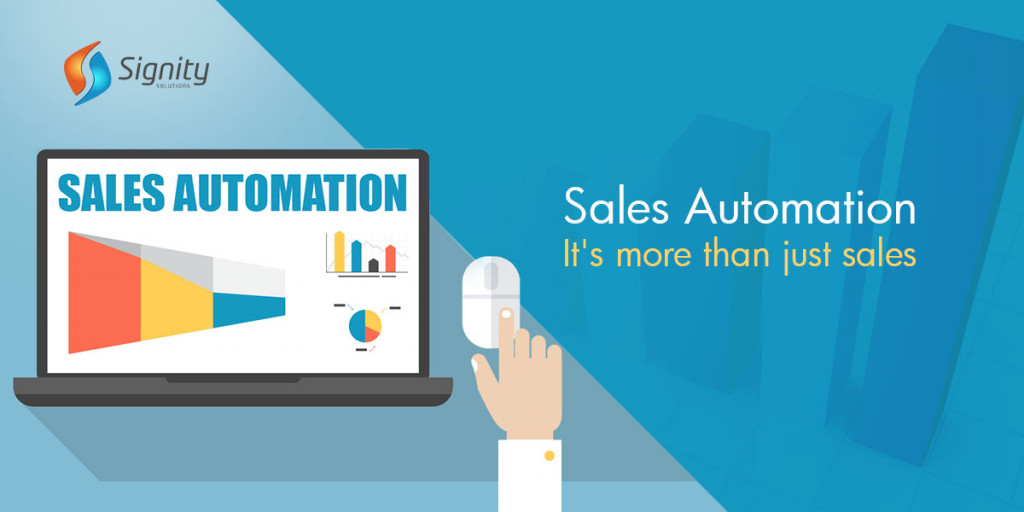
Sales Automation – It`s More Than Just Sales

In the business world, nothing is more precious than time. But, how often do you take measures that actually save you a plenty of time? If your whole sales process continues to operate in conventional ways, it means your sales team takes notes of everything worth noting down; schedules call to potential customers and arrange leads based on their priority. Any guesses, how much time your sales team goes into such processes? It is more than half. Don’t this sound alarming? Yes, it does. No business owner would let such a huge amount of time to go waste, nor should you. So what`s the solution?

Sales Automation is the best solution to put a brake on the time wastage. What it does is automates the tasks that sales teams do repeatedly – every day, every week and every month. Automation saves your company time, brings accuracy to tasks filled with errors and makes sales process speedy. Business owners now-a-days are implementing CRM tools like Salesforce, Zoho CRM, Microsoft Dynamics CRM to automate their sales process.

When I say sales automation automates every task sales team does, many businessmen may misunderstand the statement. They tend to make it mean something that completely replaces sales team, and that`s not true. In fact, sales team retains its relevancy, its position, its task even after deploying sales automation. It improves the sales process, renders complex processes, makes sales team efficient, removes errors and saves time. When automation takes care of recurrent tasks such as receiving and scheduling orders, making available information on shipping, updating customer information, it gives your sales team freedom to do other things that automation cannot do. Researching, cementing relationships with customers and figuring out ways to make automation more accessible to get the right proportion of technology and human workforce that makes your sales team look more professional.

These days every business sort of invests huge amounts in automation technology to boost sales. The estimated expenditure on sales automation was $3 billion way back in 2004, according to IDC report.

Tasks to Automate with Sales Automation

It`s time to discuss why sales automation is not just about sales only. In fact, multitudes of processes are there that you can automate with the help of sales automation to increase the productivity of your sales process.

  • Drafting an Email – One thing you see sales people constantly doing is sending emails and that consumes plenty of time. With sales automation, email drafting process gets a lot easier and speedy because of well-personalized email templates.
  • Calling a Lead – Dialing manually all your leads can be a tiresome thing to do. But by integrating CRM tools with your business, you can not only make the tasks simpler but also get to dial more leads than usual, which is not possible manually.
  • Prioritizing a Lead – It should be a daunting task to figure out who to call first, isn`t it? The same thing can be done quite easily by using right technology. Automation technology sorts and prioritizes leads based on their lead scores.
  • Taking a Note – When a call is established, next important thing to do is taking a note of, or writing down, what you deduced the positive points out of a call. Technology such as Salesforce CRM can automate the note-taking process by taking down call results automatically. It helps sales person keep track of his own performance and create a separate list of potential leads.
  • Scheduling an Appointment – Scheduling appointment is an important sales process that needs to be automated. You can create a schedule with the help of Salesforce Inbox, where you point out all your available times and potential customer can choose appointment time by clicking on the time he is available. With just a click, you get to schedule an appointment right away.
  • Specific Lead to Specific Person – It is the best feature you get with sales automation. Now your representatives will no longer have to transfer calls because with this advanced feature a call will be automatically transferred to the right department and right person based on their availability and skill, no more mixing up.

These are not the only tasks, but they are sufficient to give you the glimpse of how sales automation works and what changes it can bring to your work culture. They give you an idea how to save you time, energy and money.

With that said, you should not miss its other aspects which is equally important to be considered here. You should not get blindly obsessed with automation technology and totally ignore the human trying to establish human connection. This could destroy your aspect of building customer relationships. You have to make technology and human contact go side by side. After all, what automation can`t do, humans can. In business, customer relations are what matters the most!

Sales Automation – It`s More Than Just Sales Read More »

Sales Automation, Salesforce, Zoho CRM, , , ,

Lighting Summer’16 with Top Ten Salesforce Features

With summer sending us new peaks of heat waves on a daily basis the world has prepared for the Summer ‘16 release of Salesforce. It is the 50th most important product release of Salesforce. For the company which was founded 17 years ago, this is indeed a big milestone. In this Lightning Summer 16 edition, Salesforce is given with tons of new enhancements and features.

Salesforce-Summer-16
Source: solbusiness.com.au

Here is a summary of the 10 most important features Salesforce is having:

1. Lightning Experience Launched – Admins can now make use of the Lightning App Builder for designing the layouts of the home pages. One can also place components as desired. Salesforce summer launch has made sure that users soon stop using Account Insights and start using Assistant. A very neat way to layout every profile in the account.

2. Achieve Power of Flow with Experience – Flow from Salesforce is a tool which efficiently allows users for working using a script at the front end and a powerful logic at the back end. This logic helps in making powerful data manipulations under the hood. But, now Flow is outperformed by Lightning Experience. The Pilot allows integration of Flow inside Lightning pages. This helps to give the pages a modern and complete look.

3. Calendar Creation – Salesforce Summer‘16 launch of Lightning Experience does not just mean making the pages look beautiful only. It also helps to organize dates and scheduling with the help of its powerful calendar feature. Functions like plan start dates, event date planning, tasks for dates etc help entrepreneurs plan their entire schedule professionally.

4. Exporting of Reports – Salesforce Lightning Experience, this time, has added the feature of exporting data report sheets from XLS or CSV formats. Hence, it helps to make core platforms compatible to each other.

5. Shortcuts – Latest launch of Salesforce, the Lightning Summer ‘16 also supports small handy text-based shortcut tools while one enter numeric or currency values. These small handy features are what makes users the happiest. It is now no longer needed to type long numerical. Lightning will understand and get the work done on behalf.

6. One Contact, Multiple Accounts – Now users can associate a single contact with multiple accounts. One does not need to create duplicate contacts. So for a particular list, one can now showcase all contacts related to that account.

7. Sandbox Cloning – It is a perfect feature integrated by this edition of Lightning where Salesforce has collaborated sandboxes. Allocating new sandboxes have saved a lot of time as well.

8. Execute More Than One Action – This signifies now Lightning allows one to process executing a function for the next criteria at the same time the last one is not fully completed. At workflow, this is a great flexible feature.

9. Related List Record Inclusion – Salesforce has been divided by many people for running business operations from their smartphone. This is something very valuable. So using Salesforce1 one can see related list which includes all the records.

10. Clutter Elimination – Using the new Lightning Experience one can validate pick lists. So, one can keep clutter away cause every incorrect value leads to data piling.

That was Summer’16 Lightning Experience by Salesforce which one can use and have a successful business running.

On an other note, if you are new to Salesforce Lightning and not sure if Salesforce Org is Ready for it, checkout this article: How to Ensure Salesforce Org is Ready for Lightning Experience?

If you need more information on Salesforce Lightning & Support, please feel free to Contact Us. We work round the clock to help our clients to provide custom solutions.

Lighting Summer’16 with Top Ten Salesforce Features Read More »

Salesforce Lightning, , , , ,
grow sales with lead management

Grow Sales With Effective Lead Management

There are numerous goals and pressures that the lead of the sales team has to meet. In today’s world where the scenario in the business sector is always changing, thankfully there are techniques which have been proven to be generating sales as per target. There is something called leads. A lead is basically a potential contact that seems to be having an interest in the product or service provided but is not an active purchaser.

grow sales with lead management
source: leadnext.com

It is important to manage such leads in a very effective way so that they can be converted into customers. Through management, marketing programs and campaigns devised by Salesforce one can manage these efficiently.

Sales can be generated with an effective lead management program:-

  • Lead management and Promotional techniques must match:
    The Salesforce team works together in sync for an efficient monitoring of marketing and lead management. No lead is ever overlooked or ignored. Different techniques have adopted the team to process their leads.
  • Sell as per the Consumer:
    Consumers spend time in different channels like the social media, digital media, society or outdoors. To tap these leads one has to keep the product or service visible in such channels. But it requires a great deal of flexibility. The process used by Salesforce is extremely flexible enough to change to the channel where the customer shifts. This is called selling as per the consumer’s activities. The team studies customer’s activity on different channels and then spread the product on these busy channels.
  • Keep a tab on the social media:
    Leads and potential business can be captured through social media using Salesforce CRM applications developed for sales generations. Such kind of search engine marketing is very useful. Here consumers already surf and browses products and services displayed by one. Using forms of the company’s official website one can get information about what channel the customer used to procure the product.
  • Stay ahead of competition:
    Sales leaders and company management authorities always look around to gather information about who is doing what in the market. This helps them understand the trend of the industry. The Salesforce team leaders who are successful are the ones who not only just watch what is happening today but also have a strong sense of visualizing to realize what is upcoming. By looking at the big picture and investing into the right stuff the team ensures him to stay ahead of the competition in the world.
  • Data Clearance:
    Data must be cleaned on a regular basis. The Salesforce has tools which can aid in cleaning unwanted or accidental wrong data inputs.
  • Prioritize Leads:
    One must opt for lead scoring for prioritizing which lead is important and must be tapped first. For this one must categorize the leads as per their importance. Salesforce marketing campaigners use their strategic methodologies and prioritize leads first.
  • Attention to presales is needed:
    The Salesforce team looks after presales usually, they search what qualifies, bids and usually wins deals. For the sales team, this is a high performing feature. For this, the team uses analytics and taps quality leads only. Customers are given an access to the presale staff.

Based on the functioning of an organization leads are managed. These are the backbone of an organization and are taken good care of by the Salesforce team.

For more information on lead management with Salesforce applications, you can call or consult our certified salesforce experts.

Grow Sales With Effective Lead Management Read More »

Salesforce, , , , ,
data migration

Testing Salesforce App Before and After Migration

In the world of technology, the Salesforce app is one of the most flourishing ones. The investments and efforts made in this security system are now finally paying off positively. This cloud based security system can cause a hindrance to any kind of data attack and anomalies effectively and efficiently. The Salesforce cloud is a storehouse for your encrypted data along with a varied range of other security measures like multi-factor access authentications, pinning of device etc.

data migration
Source: 4isoft.com

Data mishandled costs one big time. The risks involved in the mishandling of important business data like revenue or statistics can hit an enterprise permanently. One of the potential mishandling of such data occurs in the event of a data migration. The entire intricate data migration made in the Salesforce CRM goes through a series of tests for detecting issues right when they start. This is to avoid the issues hitting badly in a big way if undetected at the initial levels.

Powerful testing techniques and strategies help solve potential risks like corruption of data, misplaced data, lost data, performance issues of apps due to data migrations etc.

Cloud computing security concept
Source: stratospherenetworks.com

The strategy taken encompasses the entire Salesforce CRM functional tool before as well as after the data migration takes place. The entire process has 2 stages which are one by one discussed below:-

Stage One – Checklist To Be Followed Before Migration:-


  • Salesforce CRM data migration will begin only when it is assured that the entire list of objects, customized fields, and customized applications are all set up in a proper manner.

    laptop_email-100637280-primary.idge
    Source: staticworld.net
  • Validation of OWD or organisation-wide defaults and various profiles must be correctly set up before beginning the data migration procedure.
  • Validation is also required for making sure that migration is happening for the entire workflow, assignments, and projects, rules of approvals and templates of emails.
  • Page layouts, page mappings for various profiles and for record categories must all be validated properly before migration is started.
  • One must also validate that the SSO login or the single sign-on is working properly.
  • All the tabs present and displayed must be working properly and then only migration can be validated.

Stage Two – Post Migration One Must Check These Functionality Tests:-


  • The first test must be done on a small sample date for checking whether after migration data mapping is correctly implemented.
  • Validation is needed that the users have their respective profiles correctly synced.
  • Validation is needed that the relationship in between various contacts, accounts, and their opportunities are synced up properly.

    cloud-security-1
    Source: datacenterjournal.com
  • A new record is next needed to be created. This is for checking fields, read only fields and for checking any validation rules associated with the particular field.
  • Approval processes must be tested using sample data.
  • Validations must be made that the scenarios of the workforce have been triggered properly and notifications via email and workflow is sent properly.
  • Search function must be checked whether it is showing correct records searched
  • Site pages must be displayed correctly.
  • Duplicity of data must be checked
  • Testing of SOQL queries, testing various records by logging as separate Salesforce users must all show positive results.
  • Compare records.
  • Validate the various naming conventions and broken attachments.
  • Validate different records in the legacy system like CreatedBy, CreatedDate, LastModifiedByID and LastModifiedDate.
  • Loading time must be monitored
  • Check the reports in the dashboard migrated is showing right data and running correctly.

Salesforce hence, makes sure that with proper processes of monitoring data migration is done efficiently.

For more information on Salesforce Data Migration, you can call or consult our certified salesforce experts.

Testing Salesforce App Before and After Migration Read More »

Data Migration, , , , ,
Scroll to Top